A Google Business Profile (formerly known as Google My Business) is an essential tool for local businesses. Having such a profile brings a range of benefits – it increases trust among potential customers, gives you an advantage over competitors, and allows you to communicate with clients by posting regular updates and responding to reviews. However, an even greater range of benefits comes with a verified profile. If you’re wondering how to verify your business on Google or how long the process might take, keep reading. We’ll explain how the verification process works and what it offers.
When is it required to verify your business on Google?
You might come across the need to verify your business on Google in a variety of situations. Although verification isn’t always required, Google has recently been placing more emphasis on confirming the authenticity of business profiles. The most common cases where verification becomes necessary include:
Creating a new Google Business Profile – the requirement to verify your business on Google doesn’t always appear, but it often does.
Profile suspension or removal of previous verification – this can happen, for example, after making significant changes to the profile (such as modifying your business name, address, or primary category).
Suspected violation of Google’s policies – if Google determines that your profile doesn’t meet the guidelines or that the business may not actually exist, access to the profile may be suspended.
Taking over an existing Google Business Profile – this applies, for example, to automatically generated listings you want to claim and assign to your account.
Verifying your business on Google – what are the benefits?
A verified Google Business Profile offers significantly greater possibilities. If you’re just setting up a new profile and are required to verify it, your business won’t appear on Google Maps until the process is completed. In this case, verifying your business on Google is essential for your company to even be visible on the map and to show up in local search results.
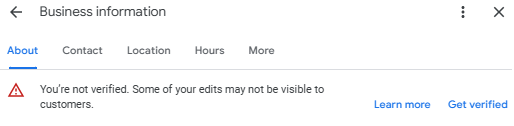
On the other hand, if changes made to an existing profile trigger the need for re-verification, those updates – as well as any other changes – won’t be visible to users until the verification process is finished. From my experience, Google very often asks to verify business profiles again when you attempt to change your business name.
What’s more, until your profile is verified, you won’t have access to additional features like posting updates or uploading photos. Any photos you upload won’t be visible to users until Google verifies your business, and posting updates won’t be possible at all.
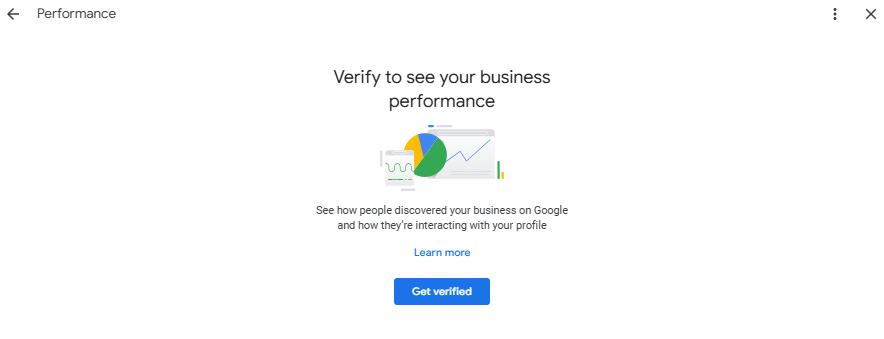
Another important point is that you won’t be able to track your profile’s performance. You won’t see how much traffic your business listing is generating or how customers find it. In practice, this means limited access to critical insights that are essential for analyzing your profile’s effectiveness.
Lastly, you also won’t be able to respond to reviews, meaning that communication with customers through your Google listing will be severely limited. You’ll neither be able to properly address negative feedback nor thank customers for positive reviews. This is especially important because regular activity and prompt responses to reviews are key factors in building trust in your business.
How to verify your business on Google? 5 methods
There are five ways to verify your business on Google. However, it’s important to remember that not all options are always available – Google decides which verification methods it offers you. In practice, this means you’ll need to use one of the methods specifically proposed for your profile. So, what forms of verification might appear when you’re trying to verify your Google Business Profile?
Verification code received via SMS or voice call
Verifying your Google Business Profile by phone is one of the simplest and quickest ways to confirm your business. You have two options for receiving the verification code: an SMS or a voice call. The code will be sent to the phone number you previously provided in your Google Business listing. Once you receive it, all you need to do is enter the code into the appropriate field in your dashboard.
Note: Entering the code doesn’t guarantee successful verification. Google may determine that additional confirmation is needed and might ask you to submit a video showing your business. You’ll find more details about this process later in the article.
Verification code sent by email
Another method is verifying your business profile using a code sent to your email address. However, it’s important to ensure thatthe email address is linked to your website’s domain.
This means you can’t just provide any email address, such as a regular Gmail account. Google will only accept an address that ends with your company’s domain, like [email protected].
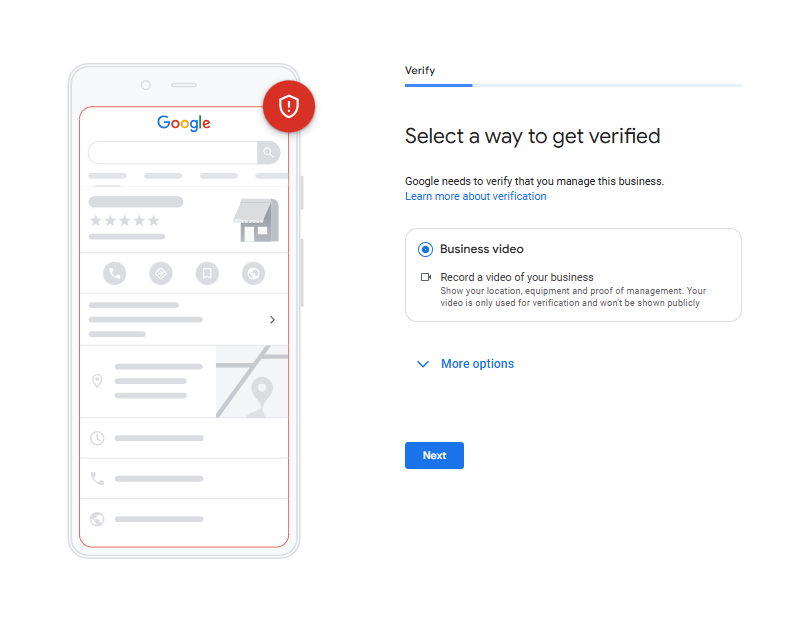
Verification via video showing your business
Submitting a video showing your business is one of the increasingly common methods Google uses for verification. This is because video provides strong proof that you actually manage the business and that it’s a real, legitimate operation in line with Google’s guidelines.
To verify your business this way, you’ll need to record a single, unedited video lasting at least 30 seconds that clearly shows:
The surroundings of your business – such as nearby streets, road signs, or your building number
Your business name displayed on a permanent feature – like a sign or storefront
The interior of your business, including areas not accessible to customers – such as your workspace, cash register, or back office
At the same time, the video mustn’t show:
Faces of other people (customers or employees)
Confidential data – such as account numbers or documents
Private information about yourself or others
This type of verification is completed using a mobile device.
What if you can’t show the required elements in the video?
If you don’t operate from a fixed location (for example, if you offer mobile services), you’ll need to remove a specific address from your Google Business Profile and instead specify the service area where you operate.
In this case, video verification works a little differently. Google expects you to show:
The area where you operate – record road signs, streets, and landmarks within your service area
The proof that your business exists – such as marketing materials, work tools, a company vehicle with a logo, or branded equipment
The proof that you manage the business – this can include documents or utility bills
Just like before, the video must be recorded in a single, continuous take using a mobile device.
Live video call verification
Verification through a live video call with a Google employee typically occurs when other verification methods fail or aren’t available. This is a one-time video call during which you’ll be asked to show elements confirming that you actually manage the business, similarly to the process with the business verification video.
Since the call happens in real time, you need to be prepared in advance – make sure you have anything that can confirm the existence of your business (e.g., a sign, work tools, or documents) within your reach.
Postal mail verification
Traditional postal mail verification is now less common, but Google still occasionally offers this method. In this case, the verification code will be sent to the address listed in your Google Business Profile, usually within 14 business days. So, make sure the address is correct and up to date.
While waiting for the code, don’t make any changes to your profile. Any changes to your information will invalidate the code that has already been sent. Also, don’t request a new code, as each new request resets the previous one, and the entire verification process will be delayed.
Once you receive the letter with the code, go to your profile’s dashboard and enter the code in the designated field.
Common Google Business Profile verification issues – how to resolve them?
If your Google Business Profile verification fails, you may receive one of three messages indicating that something went wrong and the verification process needs to be repeated:
The verification button – if this button re-appears on your profile, it means you need to try a different verification method. Choose one of the available options and go through the process again.
The check for issues notification – this appears if the verification via video failed. In this case, check why your video wasn’t accepted, fix the errors identified, and re-record it correctly.
Providing additional information – Sometimes, you can be asked to update or submit extra information to successfully complete the verification.
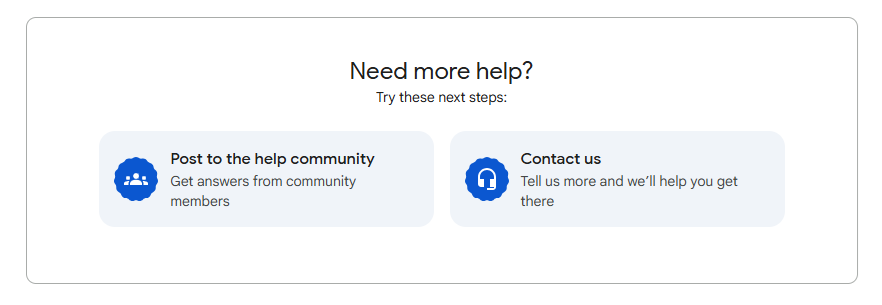
If the verification fails again, contact Google Support for assistance. You can reach it by clicking the three vertical dots in your profile and selecting “Help Center.” From here, you can either ask a question in the forum or contact support directly.
How long does it take to verify your Business Profile on Google?
The process of verifying your business profile on Google can take anywhere from a few days to several weeks. If you’re verifying by postal code, the letter usually arrives within 14 days, and once you enter the code, your Google Business Profile is typically verified within about 5 days.
Any changes made to your profile are typically also reviewed within 5 days, but in some cases, the process can take longer, even up to 30 days.
How to verify your business on Google? Summing up
In recent weeks, Google has put even more emphasis on business verification, so whenever you make major changes to your profile, you may be asked to verify your business on Google again. Remember, a verified profile unlocks far more features that are essential to effectively manage your Google listing and stay ahead of the competition in Google Maps results.
There are several ways to verify your Google Business Profile, but it’s Google that decides which methods are available in a specific scenario. Sometimes, you might need to go through the verification process again using a different method. If you encounter any issues, don’t hesitate to contact Google’s support for assistance.
Need help with your Google Business Profile? Want to start doing SEO to boost your listing’s visibility and performance? Feel free to email me at: [email protected].
She joined the Delante team in 2021, specializing in local SEO and managing Google My Business Profiles.
A graduate in Information Management from Jagiellonian University, she analyzes and optimizes service and e-commerce websites in her daily work. She feels comfortable working in any industry, as long as client communication is based on mutual understanding and cooperation. She believes that good relationships and shared goals are key to achieving satisfying results.
At Delante, she is responsible for processes such as Google My Business optimization and listing positioning. She believes that SEO success lies in understanding the client’s needs and taking a flexible approach to the specifics of each industry.
She joined the Delante team in 2021, specializing in local SEO and managing Google My Business Profiles.
A graduate in Information Management from Jagiellonian University, she analyzes and optimizes service and e-commerce websites in her daily work. She feels comfortable working in any industry, as long as client communication is based on mutual understanding and cooperation. She believes that good relationships and shared goals are key to achieving satisfying results.
At Delante, she is responsible for processes such as Google My Business optimization and listing positioning. She believes that SEO success lies in understanding the client’s needs and taking a flexible approach to the specifics of each industry.


 d-tags


 Loading...