

New Labeling Feature in Meta Ads
Meta Ads has introduced a new enhancement called Add Standard Labels, replacing the previous informational labels. When enabled, the system can automatically apply tags like Sale to your ads. These labels are displayed in the mobile Facebook Feed and on the mobile version of Instagram.
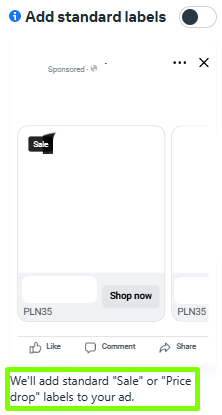
Source: Meta Ads
What Does this Mean for You?
It’s a simple and effective way to capture user attention and highlight promotions in your product ads. However, keep in mind that these labels are applied automatically – so if you want full control over your ad creatives, it’s important to monitor how they’re being displayed.
Automatic Price Display in Product Ads
Meta is rolling out a new enhancement option that automatically shows or hides product prices in catalog ads based on predicted performance. This feature aims to optimize ad effectiveness by dynamically adjusting the visibility of pricing information.
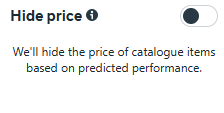
Source: Meta Ads
What Does this Mean for You?
You no longer need to decide manually whether to display prices – Meta will handle it for you by testing what drives better results. This presents an opportunity to improve conversion rates, especially if you’re unsure how users will respond to visible pricing.
Advertising Now Available on Threads
To run ads on Threads, you need to create a Threads profile for your business. This profile will serve as your brand’s representation in ads shown within the Threads feed. Your Instagram account will be automatically linked to the new Threads profile. Currently, if you want your ad to appear on Threads, you must also select Instagram Feed as a placement when setting up your campaign.
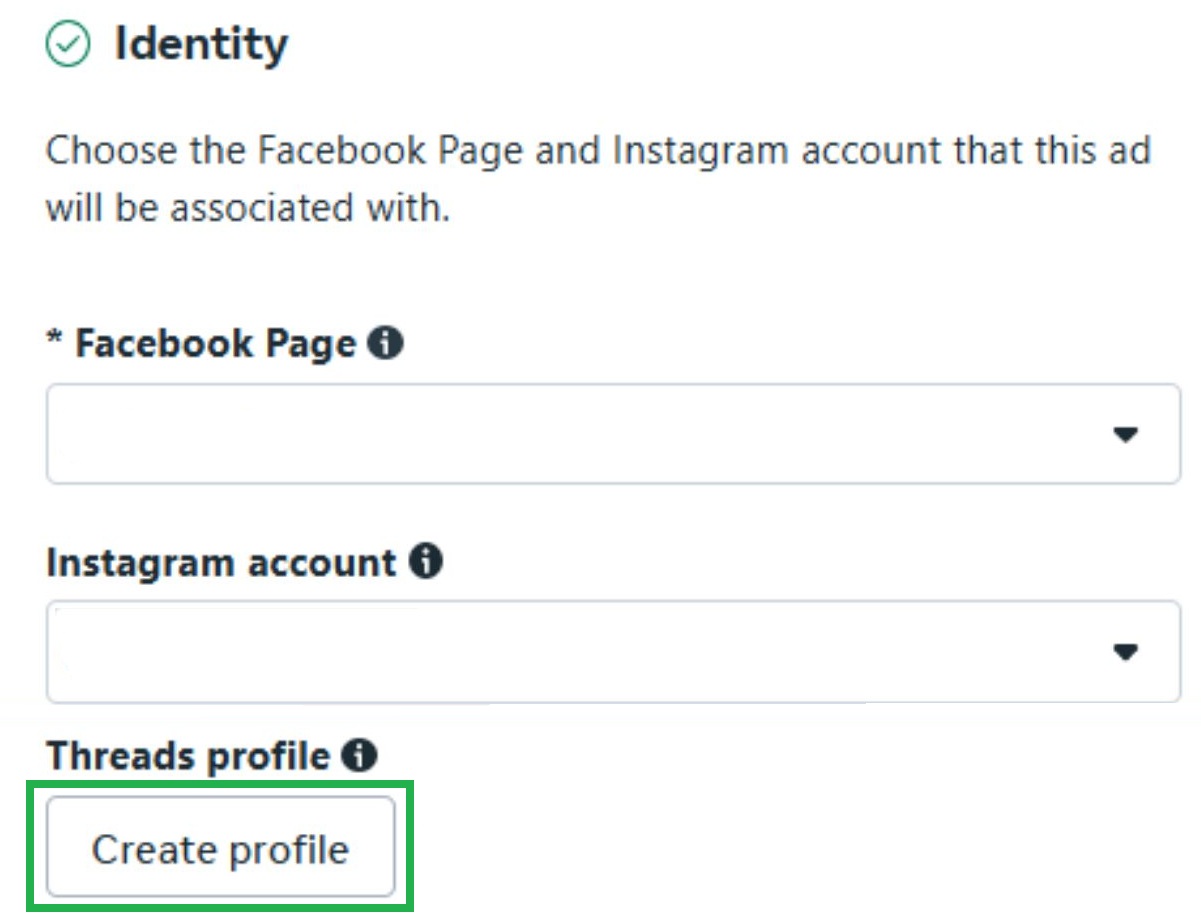
Source: Meta Ads
What Does this Mean for You?
If you’re planning to advertise on Threads, you’ll first need to set up a business profile. This opens up a new channel to reach your audience, and thanks to its integration with Instagram, it’s easy to incorporate into your existing campaigns.
Automatic Image Asset Optimization in Performance Max
Google is introducing automatic optimization of image assets in Performance Max campaigns – without requiring prior consent. AI may:
- modify your existing images (layout, format),
- pull visuals directly from your landing page and use them in your ads.
By default, this feature is enabled in all new campaigns.
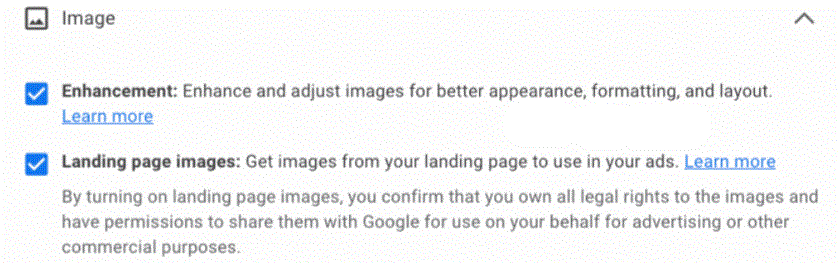
Source: Google Ads
What Does this Mean for You?
Google may alter the visual appearance of your ads. While this could improve performance in some cases, it also means less control over your creative assets. We recommend disabling this feature if maintaining full brand consistency is a priority.
New Data in the “Top vs. Other” Segment in Google Ads
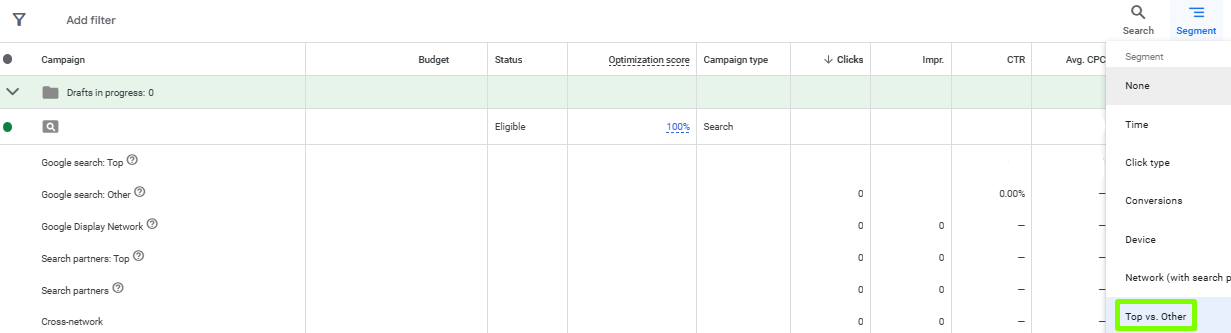
Two new rows have been added to the Top vs. Other segment:
- Google Search: Top,
- Google Search: Other.
These additions provide greater clarity on where exactly your ads are appearing within Google Search results.
Source: Google Ads
What Does this Mean for You?
The Top position indicates that your ad appeared above the organic search results – the most prominent and visible area, typically positions 1 to 4. In contrast, the Other position means your ad was shown below the organic results – either at the bottom of the first page or on subsequent pages.
These insights give you a clearer understanding of how ad placement impacts performance, helping you make more informed decisions about bid adjustments and placement strategies.
More Search Themes in Performance Max Campaigns
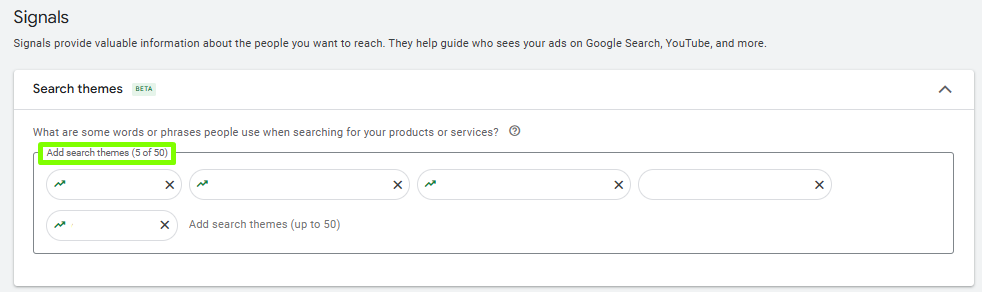
Google has increased the limit of search themes in Performance Max campaigns – you can now assign up to 50 search themes per asset group.
Source: Google Ads
What Does this Mean for You?
You can now more precisely define the purchase intents your campaign should respond to, which can lead to better targeting and improved performance.
More Characters in the First Description of Performance Max Ads
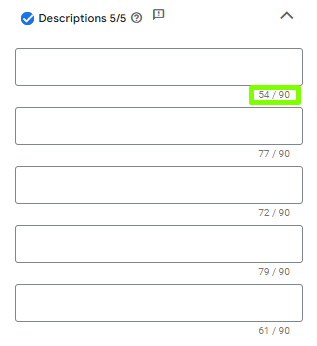
The character limit for the first description in Performance Max campaigns has been increased from 60 to 90 characters.
Source: Google Ads
What Does this Mean for You?
You now have more space to deliver a key message. This allows for greater consistency and flexibility in your ad copy, helping you better align with your brand voice and campaign goals.
Follower Count from Facebook/TikTok Displayed in Ads
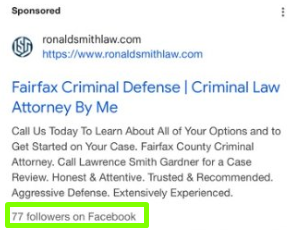
Google is testing a new feature that shows your Facebook and TikTok follower counts directly beneath text ads in search results.
Source: link
What Does this Mean for You?
A strong social media presence can boost the credibility of your ads and potentially improve CTR. It’s worth investing in active, engaging profiles – they could become a new competitive advantage in your Google Ads strategy.
New Price Label in Shopping Ads
Google is testing a new green label – Lowest in 30 days – which appears in shopping ads for products offered at lowest price point in the past 30 days.
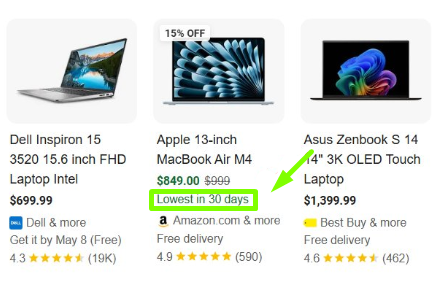
Source: link
What Does this Mean for You?
If your offer truly reflects the lowest price in the past 30 days, Google may highlight it automatically. This gives you a chance to stand out in Shopping results and boost conversions – especially during sales events and promotional periods.
Improved Ad Visibility at the Bottom of Search Results
Starting April 2025, Google is updating how ads appear on the search results page. Previously, ads from a single account could only show in one section – either at the top or the bottom. Now, if an ad qualifies for the top of the page, it can also participate in a separate auction for the bottom placement.
What Does this Mean for You?
Your ads no longer compete against each other in the same location. While you still can’t show two ads in the same section (e.g., two at the top), your brand can now appear once at the top and once at the bottom – with distinct ad creatives tailored to each placement. This opens up more visibility and reach within a single search results page.