Messages on Instagram in Meta Ads, Budget Forecasts, Changes in Google Ads Policy – SEM News – #2 April 2025
 d-tags

4min.
Comments:0
18 April 2025
 (No Ratings Yet)
 Loading...
 d-tags
4min.
Comments:0
18 April 2025
(No Ratings Yet)Loading...Meta has introduced a new convenience for lead generation campaigns. You can now automatically receive leads directly to your email inbox.
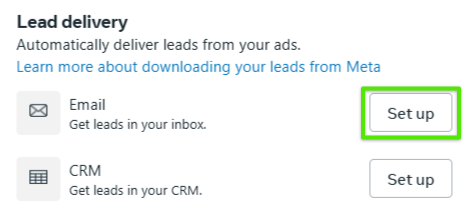
source: Meta Ads Panel
When creating a campaign with the Lead objective and adding an Instant Form, you will now see a new option to choose Email as your lead delivery method. Simply select the email address where you want the leads sent and set your preferred delivery schedule – by days and times.
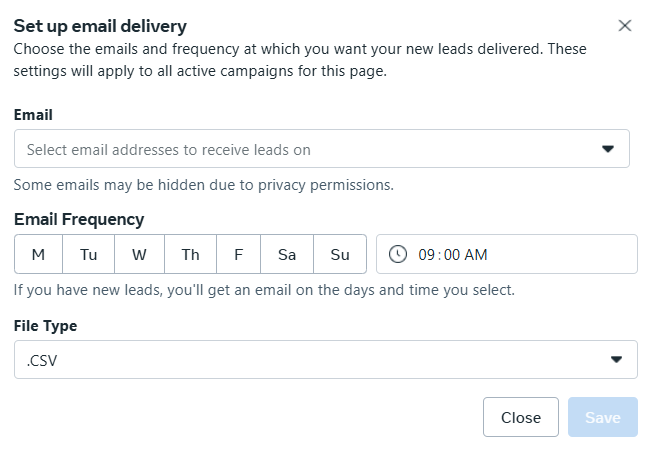
source: Meta Ads Panel
Additionally, you can choose the file format in which you want to receive the leads: CSV or XLS.
What does this mean for you?
You no longer need to log into Ads Manager to check collected leads – they’ll arrive directly in your inbox exactly when you want them. This is a significant time-saver and allows you to respond faster to new inquiries. If your goal is lead generation through forms – this feature is definitely worth testing!
Meta has rolled out another update to improve customer communication – for selected ad accounts, in addition to Messenger and WhatsApp, you can now choose Instagram as the default messaging app.
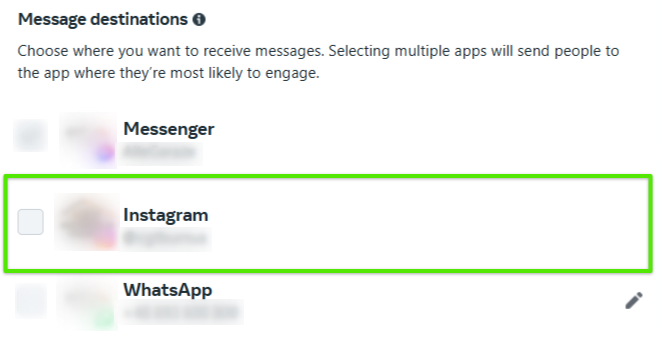
source: Meta Ads Panel
Once activated, when users click on your ad, a Message on Instagram button will appear on your landing page, allowing them to initiate a conversation directly via Instagram Direct.
What does this mean for you?
It’s a great way to simplify customer interaction – users can now message your business directly from the ad. If your target audience is active on Instagram, this option is definitely worth trying out.
Meta is expanding its Branding feature at the ad level – a major step toward aligning AI-generated content with your brand identity. In addition to uploading your logo, fonts, and up to three brand colors, two new options have been added:
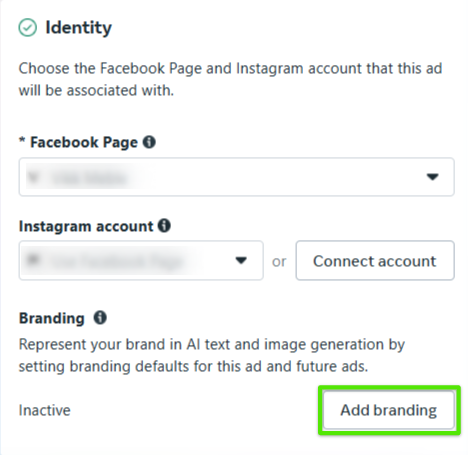
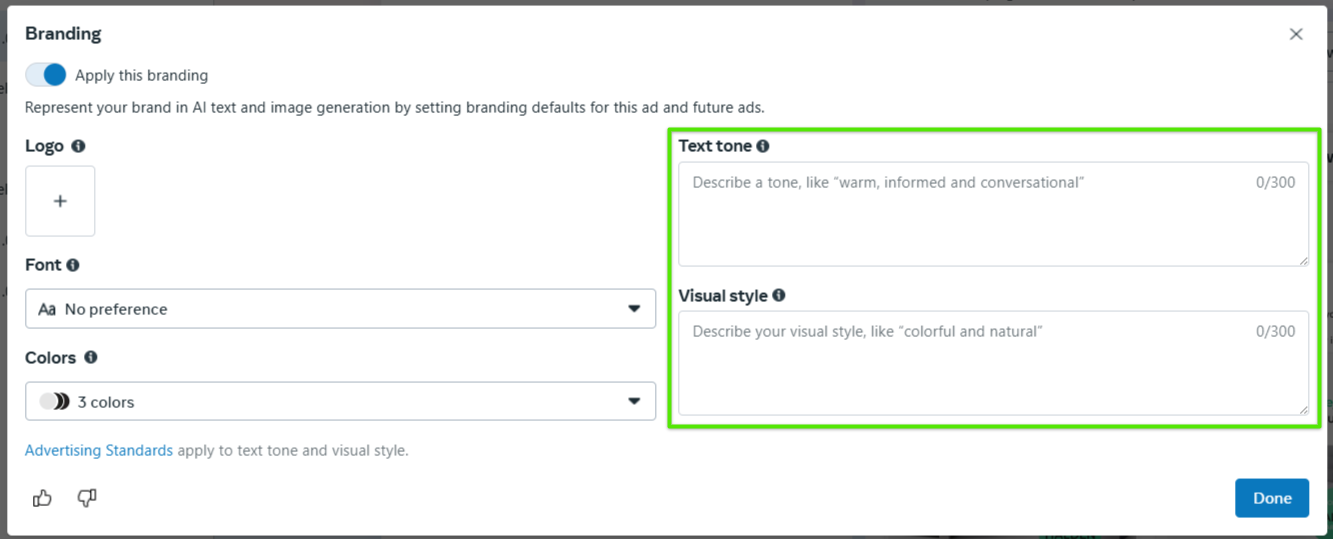
source: Meta Ads Panel
What does this mean for you?
These settings give you more control over the look and feel of automatically generated ads. It’s a great tool for maintaining brand consistency and saving time. Just remember to review the generated content before publishing – final approval is always in your hands.
Google has announced an update to its Gambling and Games Policy, effective April 14, 2025.
As part of this update:
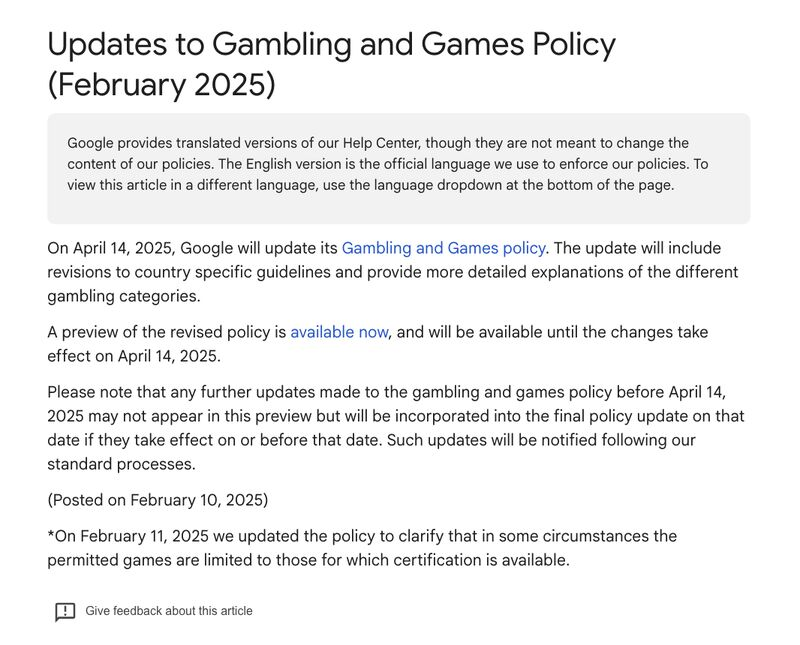
source: Support Google
For more details, visit the official website.
What does this mean for you?
If you run campaigns related to gambling or gaming, it’s essential to review the new policy as soon as possible. This will help you avoid potential violations and better adapt your advertising strategy to the upcoming changes.
Meta is introducing Conditional Formatting directly in Ads Manager, a feature previously only available in reports. This helps you quickly identify which campaigns are performing well and which need improvement.
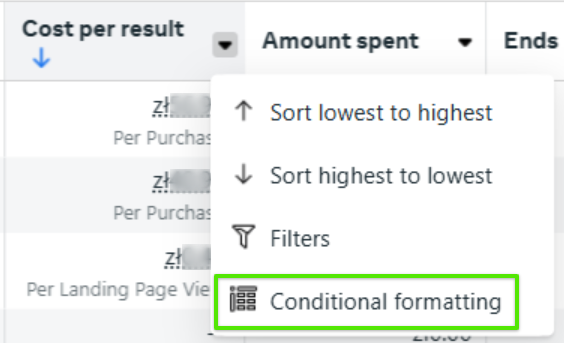
source: Meta Ads Panel
Click the arrow next to the column name and select Conditional Formatting. Set your rules: choose a metric (e.g., Cost per Result, ROAS), a condition (e.g., greater than), assign a color (e.g., red, green), and save.
What does this mean for you?
With this feature, performance indicators become more visually clear, helping you identify optimization opportunities more easily. If it’s available in your account, give it a try!
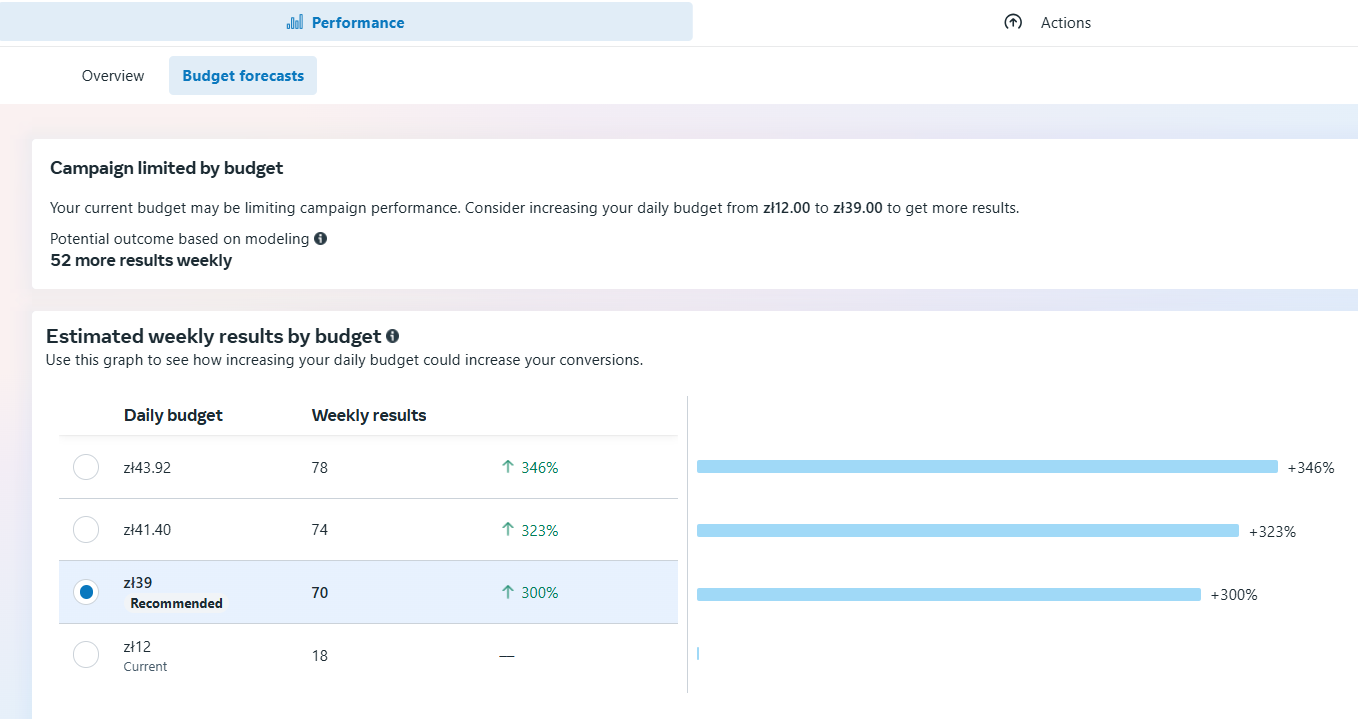
Meta has launched a new Budget Forecast feature at the campaign level. When enabled, a blue chart icon will appear next to your campaign’s budget. This tool works similarly to forecasts in Google Ads, showing estimated daily results based on budget changes and suggesting an optimal daily budget.
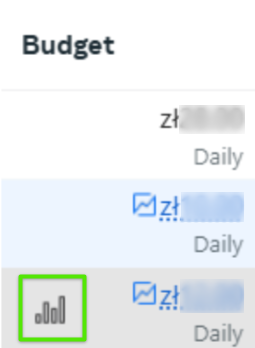
source: Meta Ads Panel
source: Meta Ads Panel
What does this mean for you?
You can quickly estimate how budget changes will impact campaign results, making it easier to plan and optimize your ad spend. These insights can be extremely useful when scaling your campaigns.
Google is testing video as an asset in Search campaigns – a major shift that combines search intent with the visual engagement traditionally associated with video campaigns.
What does this mean for you?
Your text ads could become more engaging with the addition of video, potentially improving user attention and click-through rates. This also signals Google’s increasing focus on blending intent-based formats with richer media – a trend worth adapting to in your Search strategy. If you have access to this feature, test it and evaluate its impact on performance.
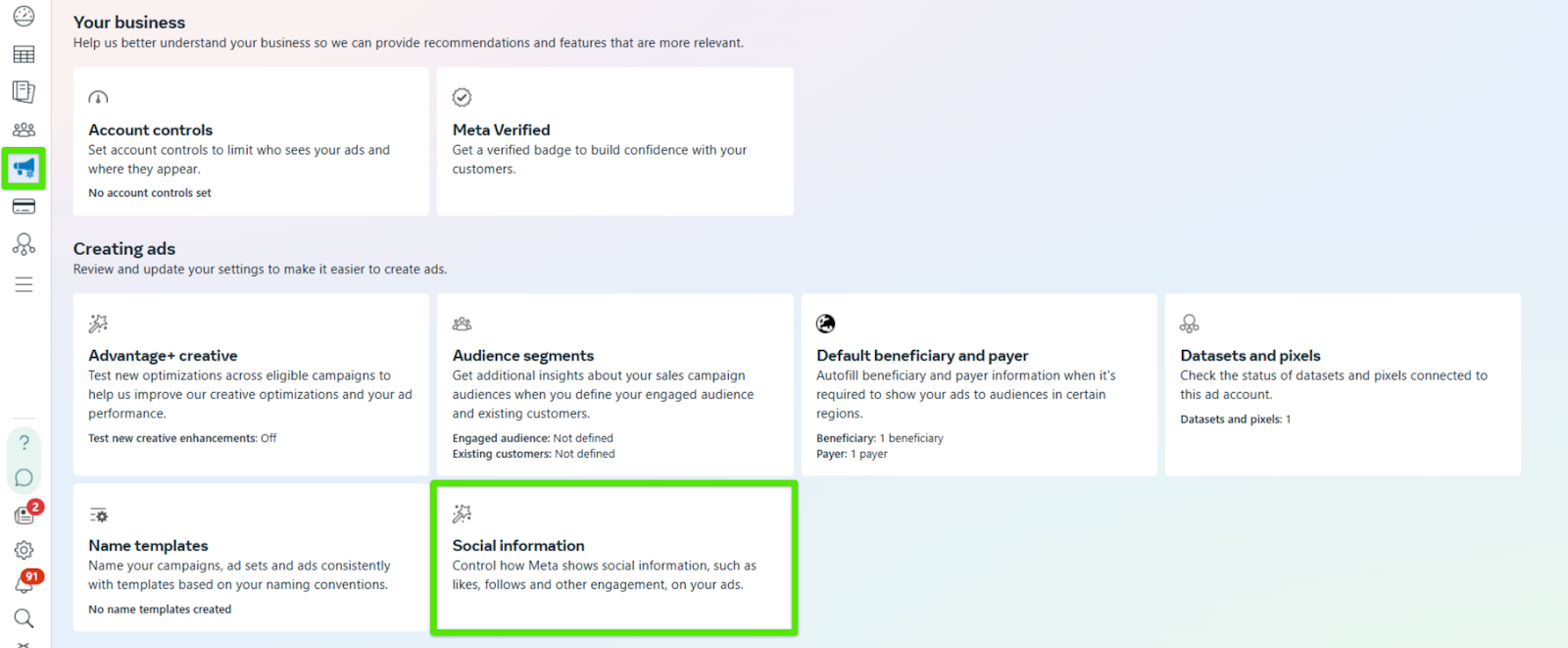
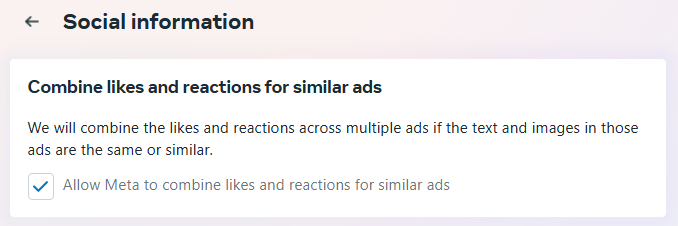
A new Social Informations tab has appeared in Ad Settings. This feature allows Meta to consolidate likes and reactions (e.g., thumbs-up, hearts) across different ad variations if they’re considered sufficiently similar. Meta evaluates the ad’s text and visuals – if they’re nearly identical, the same interaction count will be shown on all versions.
source: Meta Ads Panel
source: Meta Ads Panel
What does this mean for you?
For example, if you run three ad versions for the same product that differ only in the Call to Action, each ad will display the combined total of likes and reactions they received.
This is great for boosting the social proof of your ads, making them appear more credible. However, if you want to analyze performance per creative, ensure your versions differ significantly – otherwise, Meta may group the reactions together automatically.