PPC Weekly News Review – #2 February 2025

Check out what’s been happening lately in the world of PPC! A lot of new changes and features in Meta Ads campaigns!

Meta now automatically removes admins and users who haven’t logged into Meta Business Suite for over 6 months. When this happens, you will receive an email notification. You then have 3 months to reinstate the user via the Security Center under Action completed. After this period, you will need to manually re-add them.
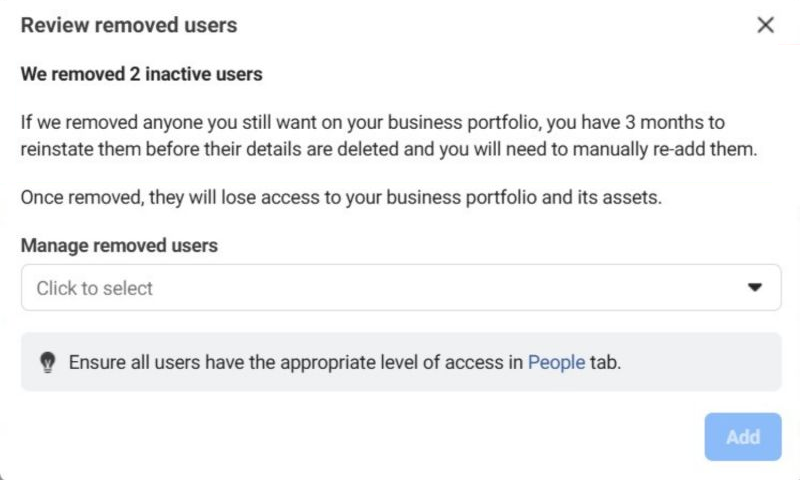
source: Meta Ads Panel

source: Meta Ads Panel
What does this mean for you?
If you manage a business in Meta Business Suite, regularly check user activity to prevent unexpected removals. To enhance security, enable two-factor authentication, add a backup admin, and set up a trusted email domain list to ensure uninterrupted access to your business assets.
Meta is removing the option to choose between Advantage+ and manual settings when setting up Sales campaigns. Now, every new Sales campaign will default to an Advantage+ Sales Campaign, with Advantage+ budget, audience, and placements enabled by default. If you opt for manual settings during setup, the campaign will automatically switch to manual mode—without needing to select this option upfront.
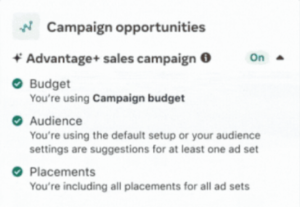
source: Meta Ads Panel
What does this mean for you?
This change simplifies the campaign setup process but requires closer control over settings. If you restrict the budget, audience, or placements too much, Advantage+ will automatically turn off, switching your campaign to manual mode.
Meta is expanding product catalog functionality by automatically adding videos to products that don’t have one assigned. To do this, Meta scans various sources, including public product pages on your website, videos used in ad campaigns, Reels from your Facebook or Instagram profile, and even other catalogs in Commerce Manager.
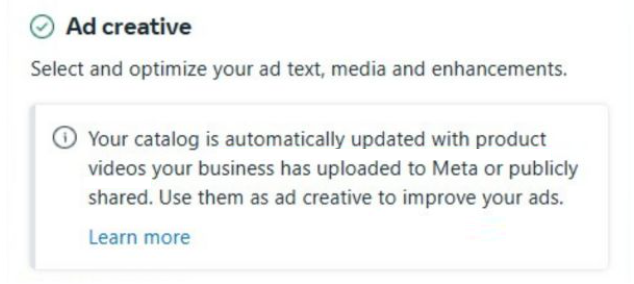
source: Meta Ads Panel
What does this mean for you?
If you don’t want Meta to automatically add videos to your catalog, you can disable this option in Commerce Manager. Go to Settings → Catalog and turn off Automatic product video updates. Any automatically added videos will be removed within 24 hours.

source: Meta Ads Panel
If you keep this option enabled, it’s a good idea to regularly review the added videos. In Commerce Manager, go to Items or Sets, filter by Video under Automatic Updates, and manually approve or reject specific content.
Starting February 24, 2025, Meta will change the default setting of inventory filters for in-content ads from Moderate to Expanded.
In-content ads include Facebook In-Stream video ads, Facebook Reels ads, and Meta Audience Network ads. Currently, the default filter is set to Moderate, meaning ads do not appear in highly sensitive content.
What does this mean for you?
The Expanded filter setting may cause your ads to appear in a broader range of content that meets Meta’s monetization policies, potentially increasing the reach of your campaigns. However, this also means your ads could appear alongside content related to tragedies, conflicts, controversial social issues, or content with inappropriate language.
If you have previously set a specific filter level for your ad account or ad sets, those settings will not be changed.
Meta may now suggest enabling the text translation option in Advantage+ Shopping campaigns if data indicates that some of your audience speaks a specific language.
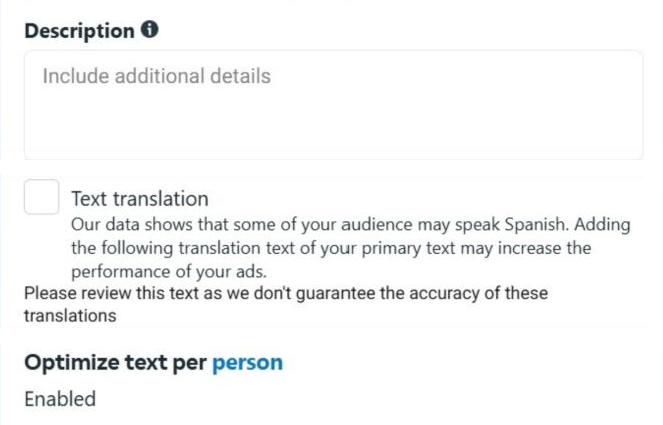
source: Meta Ads Panel
When enabled, this feature will translate your ad’s primary text, potentially improving its effectiveness. However, Meta recommends reviewing the translation to ensure accuracy.
What does this mean for you?
If Meta detects that a portion of your target audience in a specific location speaks a different language than your ad’s original language, it may suggest enabling automatic text translation. This could enhance ad performance by making your messaging more relevant to diverse audiences.