Properly defined business goals are a crucial element in running successful Google Ads campaigns. What is a micro and a macro conversion? How do you set goals? Why is it worth measuring them? How do you implement conversion tracking in your campaigns? You’ll find out in today’s article.
Goals in Google Ads Campaigns – Why is important to set them and how to define
The goals of a Google Ads campaign are crucial for the effectiveness of advertising efforts. When we invest in something, we expect it to bring us profit. That’s why the first step before launching a Google Ads campaign should be setting the campaign goal—what we are aiming for and which actions translate into success for our business. We need to ask ourselves: what matters most to us? Is it increasing the number of orders or customer inquiries (e.g., through a contact form), or maybe boosting the number of page views on our blog?
Knowing the answer allows us to optimally configure our Google Ads accounts and evaluate the effectiveness of individual marketing activities.
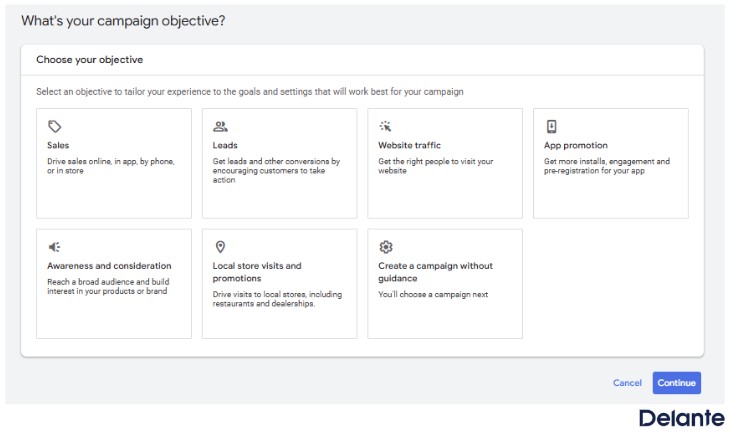
Goals of a Google Ads Campaign
When is it worth using them?
Sales
If you want to increase the number of conversions or transactions and establish contact with users who have already shown interest in your offer or were close to making a purchasing decision.
Potential customers
If you want to encourage users to take actions that show interest in your service or product, which may lead to conversions in the future, such as signing up for a newsletter.
Traffic
When you want to increase the number of visits to your website.
Increasing brand awareness and the chance of purchase consideration
When you want to encourage potential customers to explore your offer and the prices of products or services available on your website.
Promoting an app
If you want to drive app installs, increase app engagement, or encourage pre-registration for the app (Android only).
Visits to a physical store
If you want to increase visits to your local physical store.
In Google Ads, the most important conversion for e-commerce is completing a transaction, that is, making a purchase. In campaigns focused on lead generation, a conversion might be, for example, filling out a contact form, providing a phone number or email address, or another action that enables establishing contact with a potential customer—depending on the nature of the business.
Goals – Micro and macro conversions
When setting the goals for our Google Ads campaign, it’s important to remember that conversions can be divided into micro and macro conversions. A macro conversion is an action that directly translates into company profit and is usually a completed purchase transaction or acquiring a customer. On the other hand, a micro conversion is a completed action on the website (e.g., signing up for a newsletter, adding an item to the cart) that indicates the user is interested in our offer and is likely to make a macro conversion in the future.
Examples of macro conversions:
Submitting a contact form
Purchasing a product
Booking an online appointment
Phone contact
Examples of micro conversions:
Signing up for a newsletter
Clicking a button on the website
Visiting the contact page
Adding an item to the shopping cart
Visiting a specific subpage, e.g., related to a category or service
Viewing 10 pages on our website
Downloading a file from the site
Using the search or filters on the website
How to set up conversions in Google Ads?
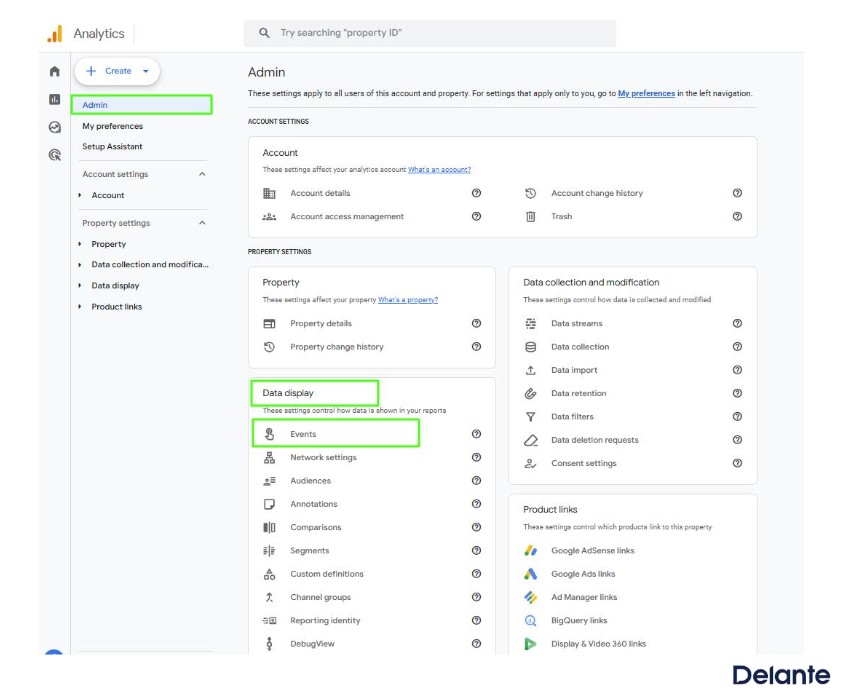
One effective way that offers many possibilities is to link your Google Ads and Google Analytics accounts, and then import the conversion goals created in Google Analytics into Google Ads. You can do this in 3 simple steps:
Click Admin in the lower-left corner of the account
In the View column, click Events
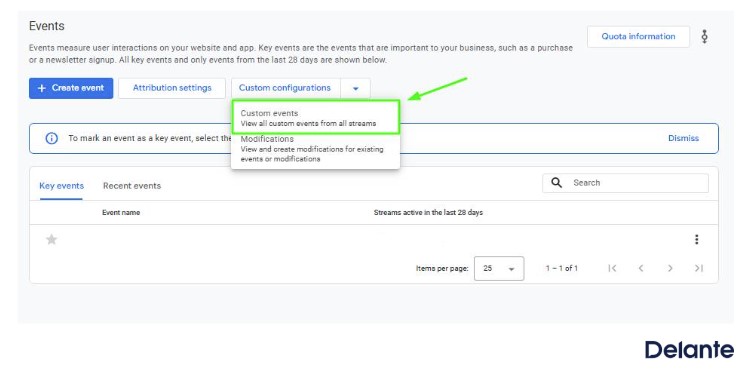
Expand the arrow next to the Custom Definitions button
Click Custom Events
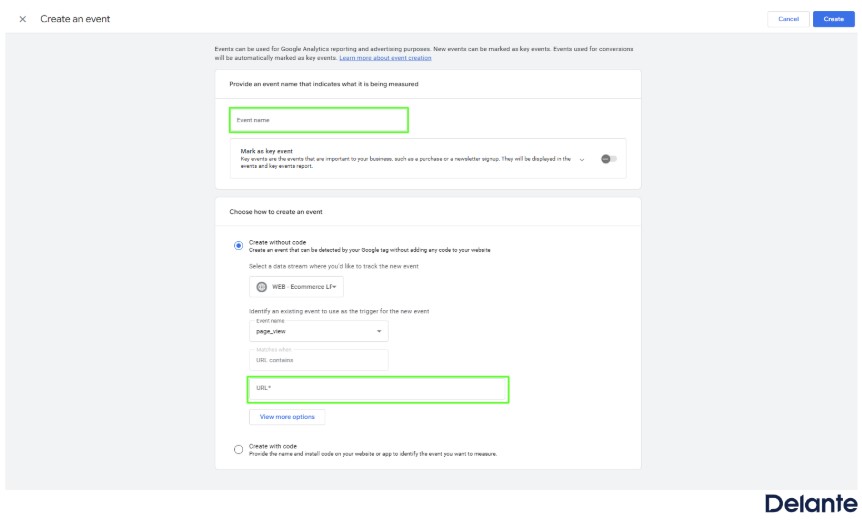
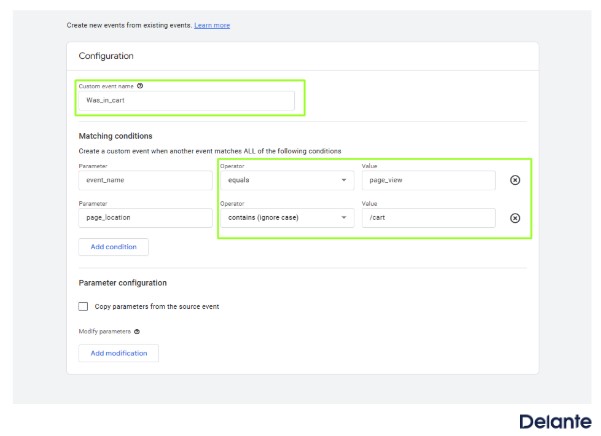
Enter the name of the conversion, e.g., Was in Cart (for example, we are creating a micro conversion goal for the customer reaching the cart). In this case, assume that the URL to your cart www.yourwebsite.com/cart.html
Click the Show more options button and for the parameter “event_name,” select equals, then set the value to page_view.
Next, for the parameter page_location, choose contains and enter /cart as the value.
Remember that the URL structure for your website may be different. Verify it before creating the conversion.
Click save
This way, you can create many conversions, such as spending over 10 minutes on the site, visiting 10 pages per session, reaching the thank-you page after placing an order or submitting an inquiry, and so on.
Step 3.
Import conversions from Google Ads:
Log in to your Google Ads account
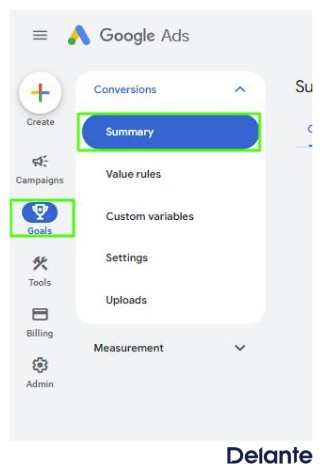
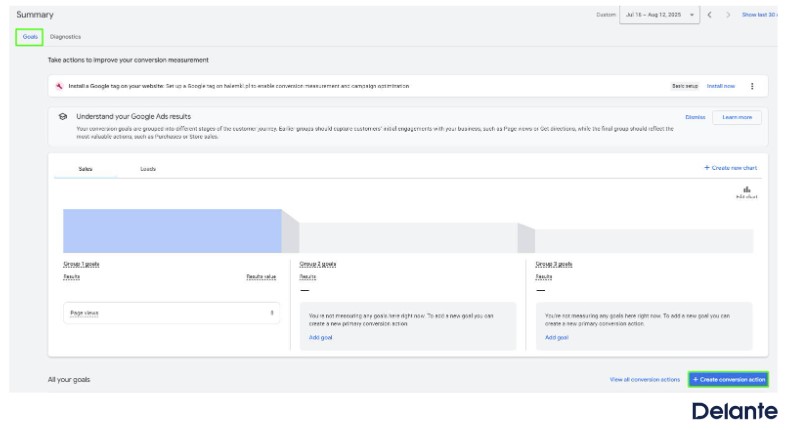
Go to Goals in the top left corner, click Conversions, and then Summary
Click the + Create conversion action button.
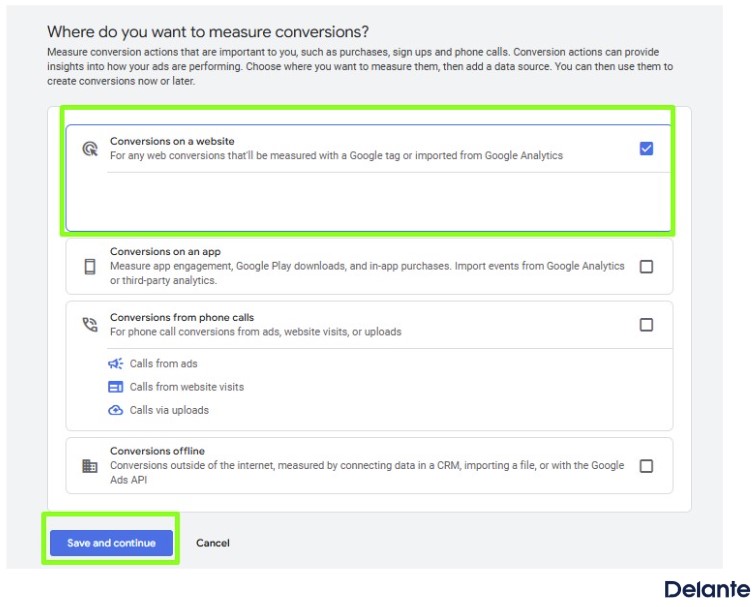
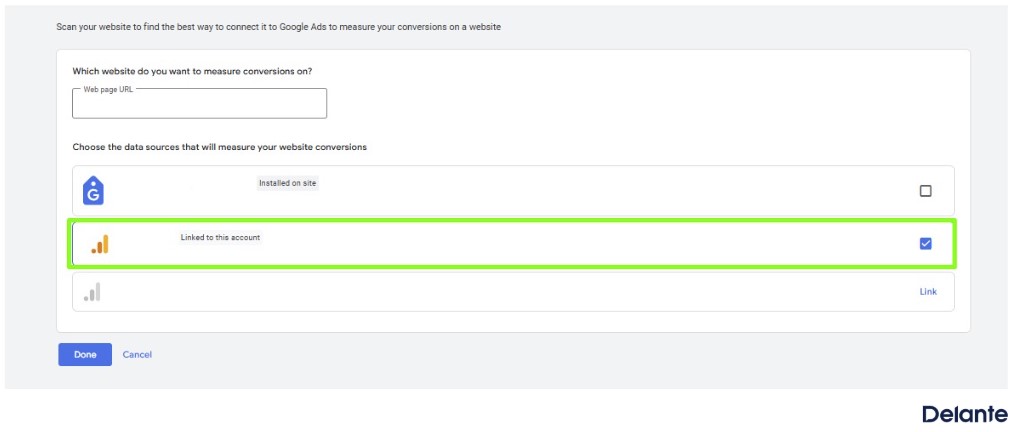
Select Website conversions and add your website URL.
Select the GA4 property that is linked to your account.
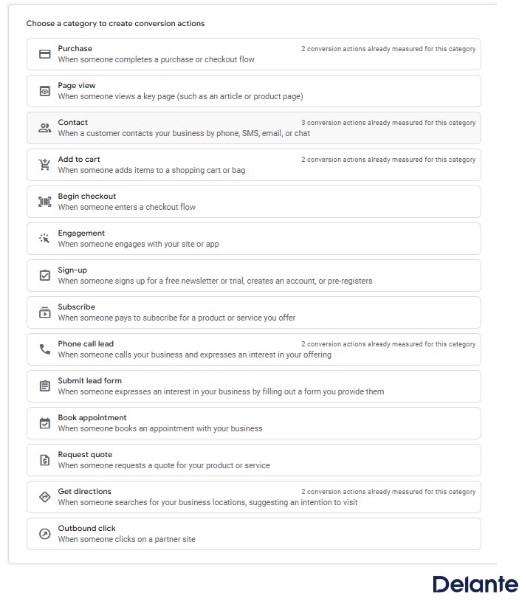
and choose the action category
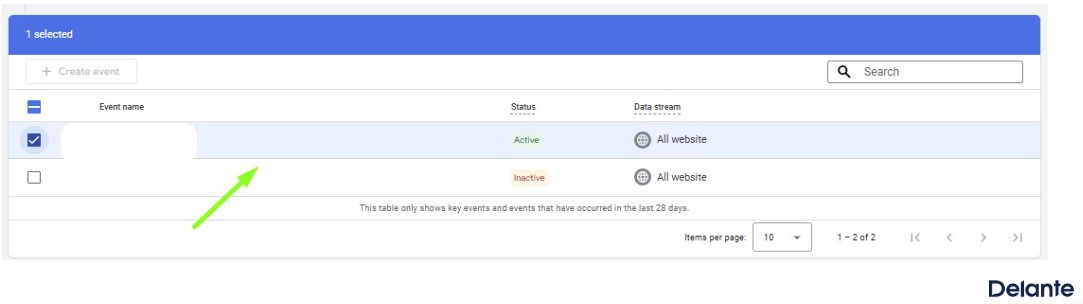
Next, you’ll see the events that have been configured in GA4. Select the appropriate conversion you want to import.
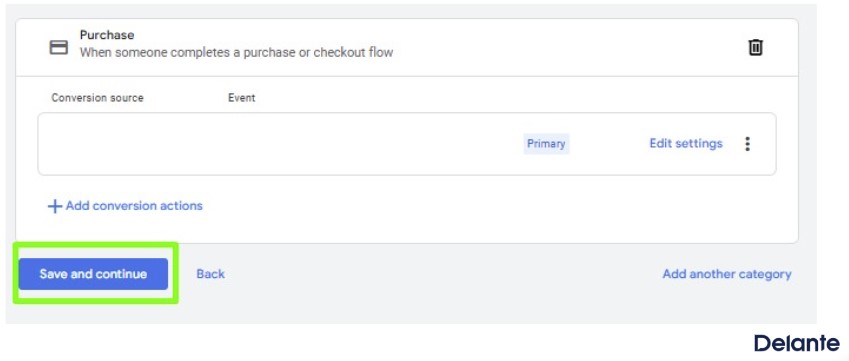
Save and continue
How do goals work within a Google Ads campaign?
In Google Ads campaigns, we always choose campaign goals from the list of goals set up in the account. You can set more than one goal per campaign. Additionally, you can modify the goals at any time in the campaign settings. Remember, the selected goal should align closely with what matters most to you in that campaign—for example, sales or website visits.
Summary
In summary, we can only say whether a campaign delivers the desired results if we correctly define and implement conversions in Google Ads.
Preparing good campaign goals before launching a Google Ads campaign is fundamental. This way, you’ll be able to measure the effectiveness of your ads and optimize them to achieve the highest possible return on your advertising investment.
Of course, all data and results should also be cross-checked with information from your CMS system to ensure that measurements in Google Ads are reasonably consistent with the data reported in your system.
If you’re having trouble deciding which goals and budgets are suitable for your industry’s Google Ads campaigns or simply don’t have time to manage them yourself — get in touch with us. We’ll be happy to help!
Sign up for our newsletter!
Discover the latest tips, case studies, and strategies from digital-marketing experts!
By providing your email address, you agree to receive our newsletter. You can unsubscribe at any time.
Can I set more than one goal in a Google Ads campaign?
Yes, you can set more than one goal in a Google Ads campaign, but it’s advisable to choose one primary goal so the system can optimize around it. For example, in e-commerce, the main goal would typically be sales.
Can I change the goal of a Google Ads campaign after it has started?
Yes, you can change the goal of a Google Ads campaign at any time in the campaign settings. Changing the goal may cause the campaign to enter the learning phase again, which can temporarily affect performance.


 d-tags


 Loading...