Online competition is growing, which is why finding the right keywords is an essential part of an effective marketing strategy. In the decision-making process, it is worth using dedicated tools. One of them is the Keyword Planner. It allows you to study the popularity and competitiveness of keywords related to a specific industry or topic. Thanks to our guide, you will learn how to effectively use the potential of the Keyword Planner tool in the Google Ads system.
The Keyword Planner from Google Ads is a tool that helps analyze keywords. It allows you to discover the right phrases for your search campaigns. This way, your ads will reach the right audience. The tool includes, among other things, estimated search numbers and the average cost per click for a given phrase, which allows you to manage your advertising budget responsibly.
What is more, the planner can help identify phrases, words, and expressions that users search for and that can lead them to your website – ones you might not have thought of at first. It also helps you find related keywords.
The Keyword Planner was originally created for and is mainly used in paid advertising campaigns. However, it is also used by SEO specialists. Above all, it is free to use. It is also a great starting point for collecting and analyzing new keywords. You just need to enter a phrase, expression, or URL. You can also use the Keyword Planner to find new content ideas for your website.
How does Google Keyword Planner work?
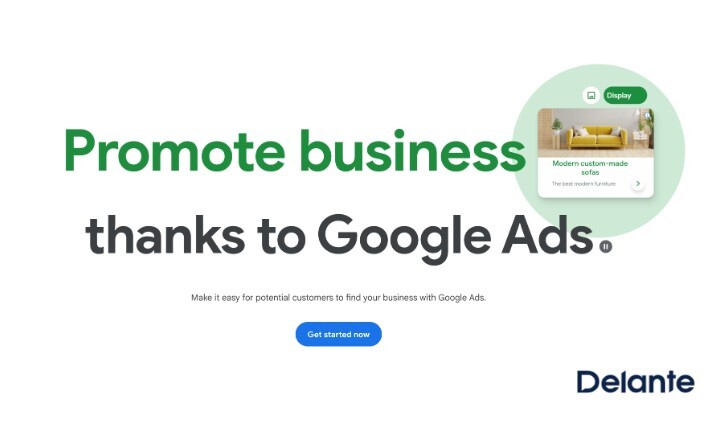
Let us move to the main part – how to use the Keyword Planner? To start using the tool, you need a Google account, and creating one takes only a few minutes. Then go to the Google Ads page and click “Get started.”
Source: Google Ads Planer
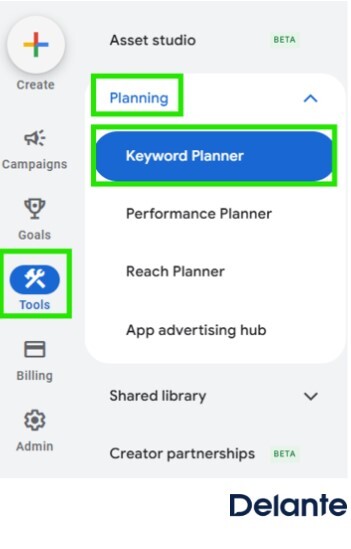
Once you have set up your account, you can go to the “Keyword Planner.” Click on the “Tools” tab, then “Planning,” and select “Keyword Planner.”
Source: Google Ads planner
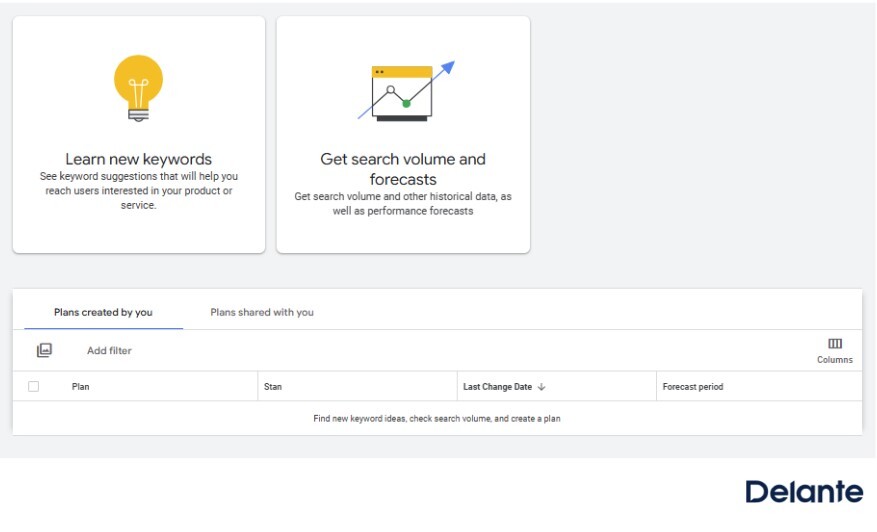
The tool offers two main reports:
Discover new keywords – this option allows you to find keywords that can be useful for creating your Google Ads strategy or improving your website’s SEO.
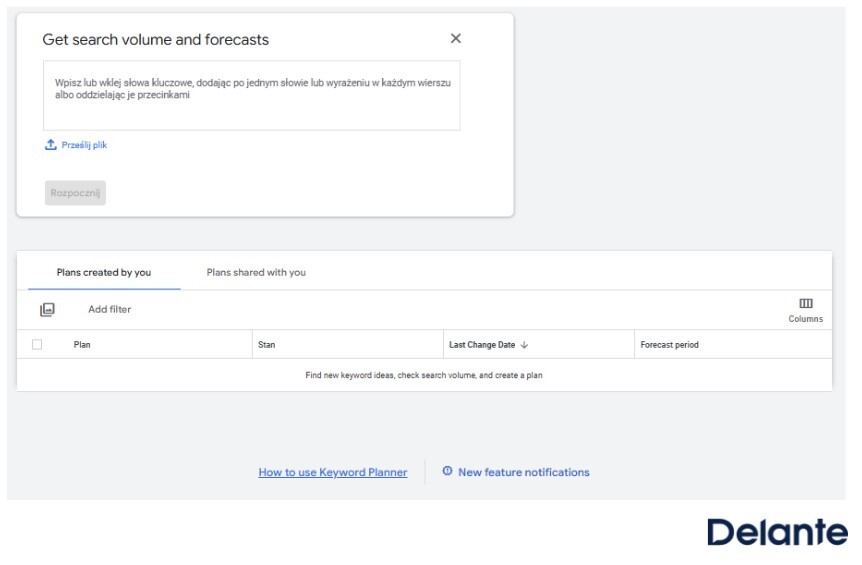
Get search volume and forecasts – this option lets you analyze data for specific keywords you enter into the tool yourself.
Source: Google Ads planner
These options provide comprehensive information about keywords and trends, helping you choose the right phrases for your activities. Now, let us take a closer look at both reports.
The “Discover new keywords” report
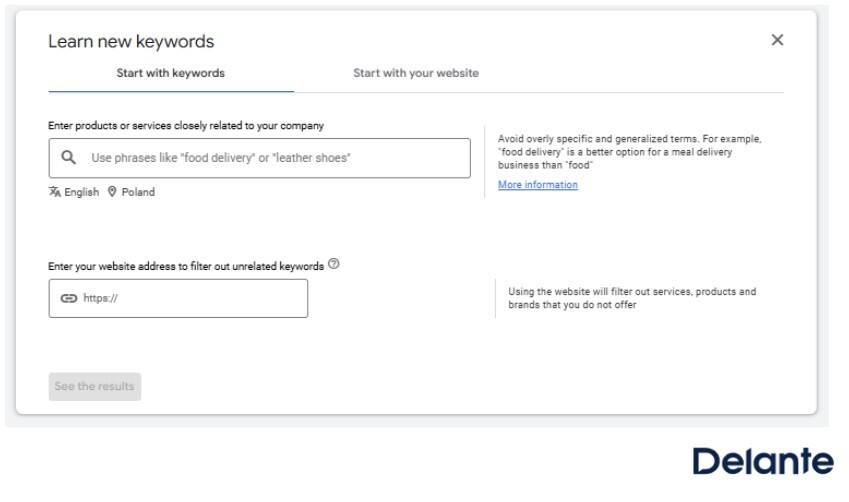
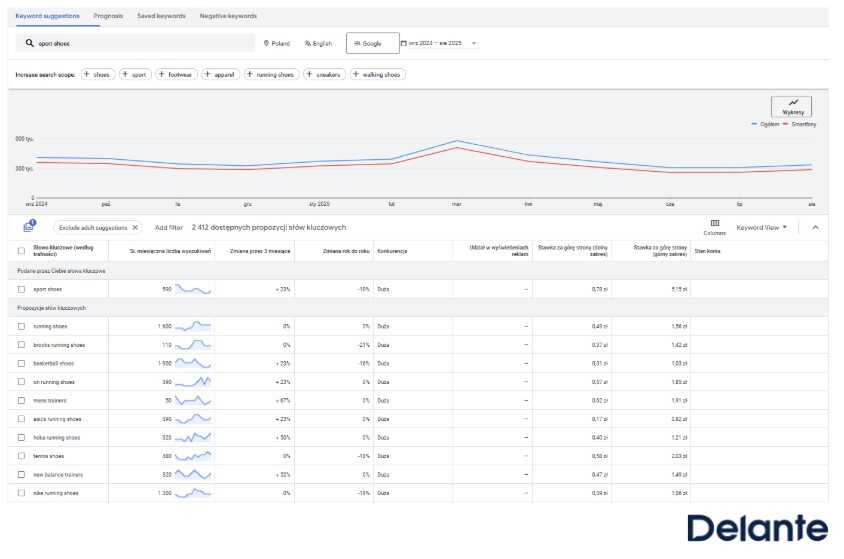
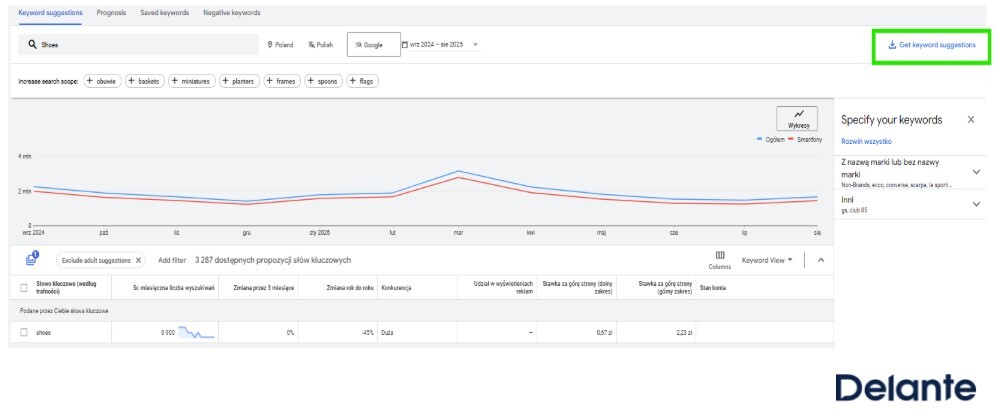
The “Discover new keywords” report is useful when you are looking for new keywords. Simply enter a few sample keywords related to your products or services, or provide your domain’s URL. The tool will then generate a list of related and similar keyword suggestions.
Source: Google Ads planner
Each keyword displayed in the tool will include three key data points:
Average monthly searches – shows how many times per month users search for the keyword on average. This helps you find out which keywords generate the most traffic.
Competition level – shows how many other advertisers are competing for that keyword. The Keyword Planner presents this data on a three-level scale: low, medium, and high.
Top of page bid (low and high range) – these columns show the minimum and maximum amounts advertisers have previously paid to have their ads appear at the top of Google search results. The lower range shows the lower bid that allowed an ad to appear at the top of the page, while the upper range shows the higher bid advertisers paid to reach the highest positions.
Source: Google Ads planner
You can also use the Keyword Planner to monitor your competitors’ activities. In the “Discover new keywords” report, click “Start with a website” and enter your competitor’s URL. The tool will show you keyword suggestions for which their page appears.
The “Get search volume and forecasts” report
This report allows you to analyze specific keywords you enter into the tool. It includes the same metrics as the “Discover new keywords” report, such as average monthly searches, top and bottom page bids, and competition level. The difference is that this report does not suggest new keywords but only presents data for the ones you have added yourself.
Source: Google Ads planner
Source: Google Ads planner
Keyword Planner – how to make the most of this tool?
Now that we have covered the basics of the Keyword Planner and how to use it, it is worth learning a few tips to help you get the most out of the tool.
If you are starting to plan keywords for your website, remember to be precise but also broad in the phrases you enter.
In practice, if you own a car detailing studio and check the phrase “car cleaning products,” it may turn out that this keyword is rarely searched or has a low volume. In that case, try a different wording, such as “car cosmetics” – maybe that phrase is more commonly searched and worth focusing on.
To use the Keyword Planner effectively, put yourself in the customer’s shoes and think about how they would search for a given product or service.
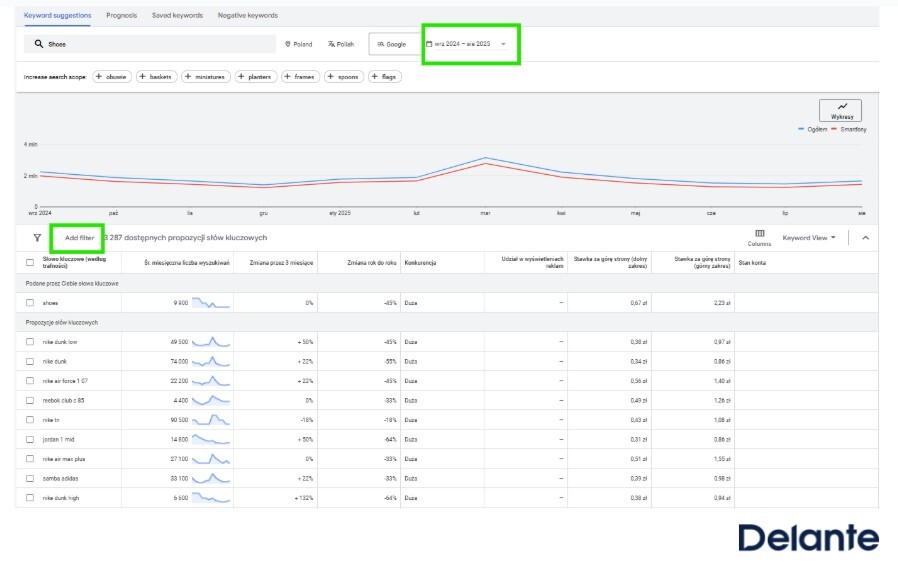
Once you have found keywords related to your phrase, industry, or URL, use the result filtering options. At the top, you will find four filters:
location – searches and trends for a specific geographic area;
language – number of searches in a given language. This filter is useful for multilingual websites;
search network (Google / Google and search partners) – this defines the data source. Choosing “Google” gives you data only from Google’s main search engine. The “Google and search partners” option also includes partner sites that use Google search, such as onet.pl;
date range – shows the average number of searches for a selected time period.
Source: Google Ads planner
You can also filter the keywords themselves by:
keyword,
competition,
average monthly searches,
minimum top of page bid,
maximum top of page bid.
Summary
Keyword planning requires both analytical skills and time. Choosing the right phrases should not be random, so it is worth using available tools that can help you build a strategy. Now you know how to use the Keyword Planner and why it is useful for both SEM and SEO activities. It lets you search for keywords, check competition levels, and filter results to compare their potential , all for free. It can also inspire your website content and help identify the right keywords for your advertising campaigns.
At Delante, we have a range of tools that allow us to precisely select keywords tailored to your business’s specifics. This helps us create effective advertising strategies that increase your website’s visibility in search engines. If you need support in this area, contact us – our specialists will gladly prepare a strategy based on keywords perfectly suited to your industry.
A Management and Economics graduate. She started her adventure at Delante with an SEM internship in December 2021. She currently holds the position of SEM Specialist. Her special interest from the professional angle is Internet marketing, and she is no stranger to Google market changes. Privately, she enjoys traveling, sport, especially gym.
Graduate in Marketing and Market Communication from the Cracow University of Economics. At Delante since November 2024. Privately, he is interested in music, swimming, and traveling.
A Management and Economics graduate. She started her adventure at Delante with an SEM internship in December 2021. She currently holds the position of SEM Specialist. Her special interest from the professional angle is Internet marketing, and she is no stranger to Google market changes. Privately, she enjoys traveling, sport, especially gym.
Graduate in Marketing and Market Communication from the Cracow University of Economics. At Delante since November 2024. Privately, he is interested in music, swimming, and traveling.
FAQ
Can you use the Keyword Planner for free?
Yes, Google’s Keyword Planner is free to use. You just need to create a Google Ads account – you do not have to launch any paid campaigns to access the tool.
How to choose keywords for Google Ads?
To choose the right keywords for your Google Ads campaign, use the Keyword Planner. It helps you check the popularity, competitiveness, and estimated cost per click (CPC) of selected phrases. Choose keywords that are relevant, precise, and match the user’s intent. This way, your ads will reach the right audience, and your campaign budget will be used efficiently.


 d-tags



 Loading...