



One of the tools making waves now is Microsoft Copilot. It’s quickly becoming a go-to for many users around the world. This AI assistant, designed to integrate seamlessly into Microsoft 365 apps and tools, provides intelligent support based on real-time context. But what is Copilot, how does it actually work, and why should marketers and SEO specialists pay close attention to what it can do?
What is Microsoft Copilot?
Microsoft Copilot is an AI-powered digital assistant developed to help individual users and businesses work smarter. It’s available in tools like Word, Excel, Outlook, Teams, and PowerPoint, and also functions as a standalone chatbot experience in Bing, Edge, and Windows.
Right now, there are a few different versions of Copilot available:
- A free version that includes basic features like summarization, content creation, and conversational Q&A.
- Copilot Pro, which offers access to the latest GPT models, along with image generation tools.
- Copilot for Microsoft 365, designed for business use with deeper integration into company data and systems. This version draws from both Microsoft Graph and other internal datasets to deliver more tailored answers.
- Copilot Studio, a low-code subscription-based option that allows you to build your own copilot environments.

Microsoft Copilot for Microsoft 365
In a nutshell, Copilot connects to Microsoft’s productivity ecosystem, and it’s meant to help people work faster and more efficiently by automating repetitive tasks, creating quality outputs, analyzing data, generating content, and driving data-based decision-making.
How does it work?
Once you know what Microsoft Copilot is, it’s time to learn how it works. So, unsurprisingly, the tool is powered by large language models like GPT-4, and operates with technologies such as machine learning (ML) and natural language processing (NLP). Unlike Bing’s generative search, Microsoft Copilot focuses on contextual productivity within apps, not just web browsing.
Copilot works by collecting and organizing data. It uses a crawler to gather information from the web, analyzes it, and adds it to its system. Then, it matches your queries with the most relevant content. What makes it stand out is its ability to understand intent, not just keywords.
For businesses, Copilot’s system connects with tools like Microsoft Graph Connector to pull in external data and organize it alongside internal systems. This way, it can answer more specific questions based on the company’s knowledge, ensuring the responses are accurate, on-brand, and up-to-date.
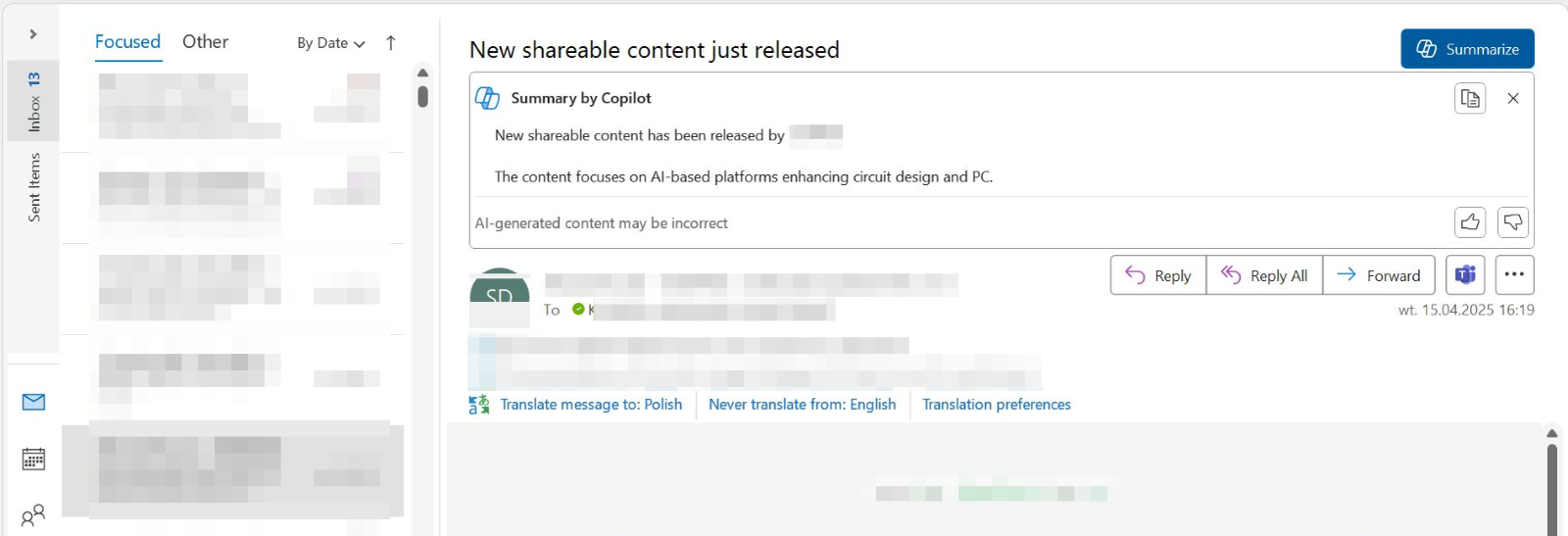
If you work in a Microsoft environment, it can actually be really helpful, for instance, serving as a virtual assistant of sorts. It can create an email summary for you, check your calendar for upcoming meetings, or analyze loads and loads of data (although, bear in mind that it’s time-consuming for Copilot to do so –- but at least your hands are free!).
Generally, if you use Outlook, your e-mails can now look like this:
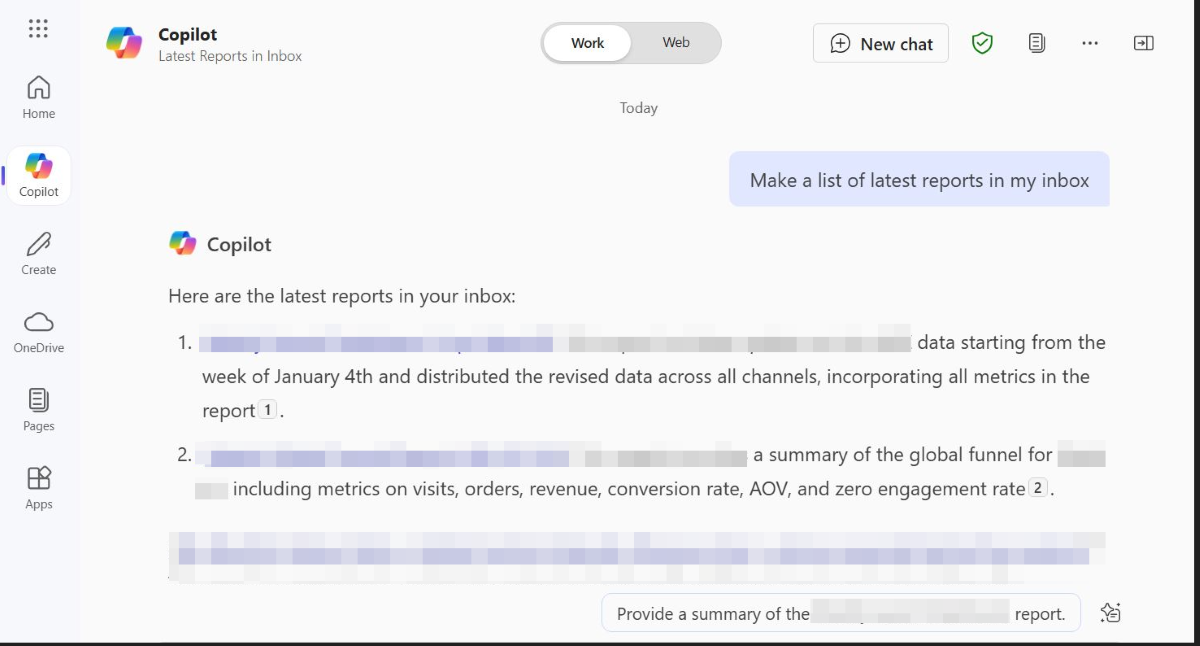
You can even search your inbox without using the search option – and, if you’re an Outlook user, you very well know how searching for e-mails usually ends up. Looking for the latest reports? Not a problem, see it sorted!
How to get started?
Getting started with Copilot depends on the version you’re using. If you’re an individual on Windows, Edge, or Bing, you can try the free version right away. For more advanced features, you can choose Copilot Pro or Microsoft 365 Copilot subscriptions to unlock additional capabilities.
So, to use it, you can open any supported application (like Word, Outlook, or Excel) and locate the Copilot icon. Then, simply enter your request. For example, you can ask it to:
- Summarize meeting transcripts for you;
- Create a slideshow from a Word document;
- Analyze spreadsheet data and outline key insights…
… And much more.
Another way to use Copilot is through Bing or Edge, where it’s available in a chat format. In this setup, you can also rely on Copilot to give you links and up-to-date information, thanks to its integration with Bing.
To learn more about the tool and see it in action, visit Microsoft’s Copilot Scenario Library. It’s a great starting point, if you’re considering using Copilot.
How to use Copilot as an SEO specialist and/or marketer?
Now, it’s time to explore how to use Copilot as a marketer or an SEO specialist. We all know that as an SEO specialist or marketer, you’re juggling a lot: content creation, keyword research, on-page optimization, link building, and the list goes on. Microsoft Copilot can help you with many tasks such as:
Doing market research and competitive analysis
Microsoft Copilot can significantly speed up and support market research and competitive analysis. It’s useful for tracking trends, monitoring competitor activity, and analyzing large amounts of data quickly.
Thanks to the possibility to pair it with tools like SEMrush or SimilarWeb, it can help marketers and SEO specialists with tasks such as keyword gaps, identifying SEO issues or linking opportunities. For example, you can prompt it to analyze a competitor’s site and get a summary of where you might improve or differentiate.
Gaining audience insights
Every marketer knows that understanding your audience is key to effective marketing. The tool can help you also with this aspect. It can analyze user behavior and preferences to help you identify different audience segments, allowing for more targeted messaging and campaign planning. It’s very useful, if you want to move beyond broad demographics and focus on how people actually interact with your content.






Expert Comment
Copilot might be a great tool speeding up time-consuming tasks like audits, data analysis, or simple content rewrites. But at the end of the day, it’s just a tool. The real value still comes from how we apply insights, plan and outline actions, and tailor content to real users
Maciej Jakubiec
SEO Specialist at Delante