



In this article, we explain how to exclude unwanted referrals in GA4 to maintain consistency in your analytics data.
Why do payment gateways affect data accuracy?
Let’s say you run an online store that sells winter sports accessories. In your Google Analytics 4 reports, you notice that one of the top traffic sources is a domain like payu.pl or przelewy24.pl. Without excluding these domains, it might appear that PayU or Przelewy24 are responsible for generating the most traffic and conversions on your website.
As a result, you lose sight of the actual source of successful conversions, your reports become unreliable, and your marketing decisions are based on misleading data.
How to exclude payment gateways in GA4?
In GA4, you need to navigate to the “List of unwanted referrals” section, which allows you to treat selected domains as internal traffic sources. As a result, traffic from these domains will no longer be classified as external in your reports.
Step-by-step instructions
- Log in to GA4
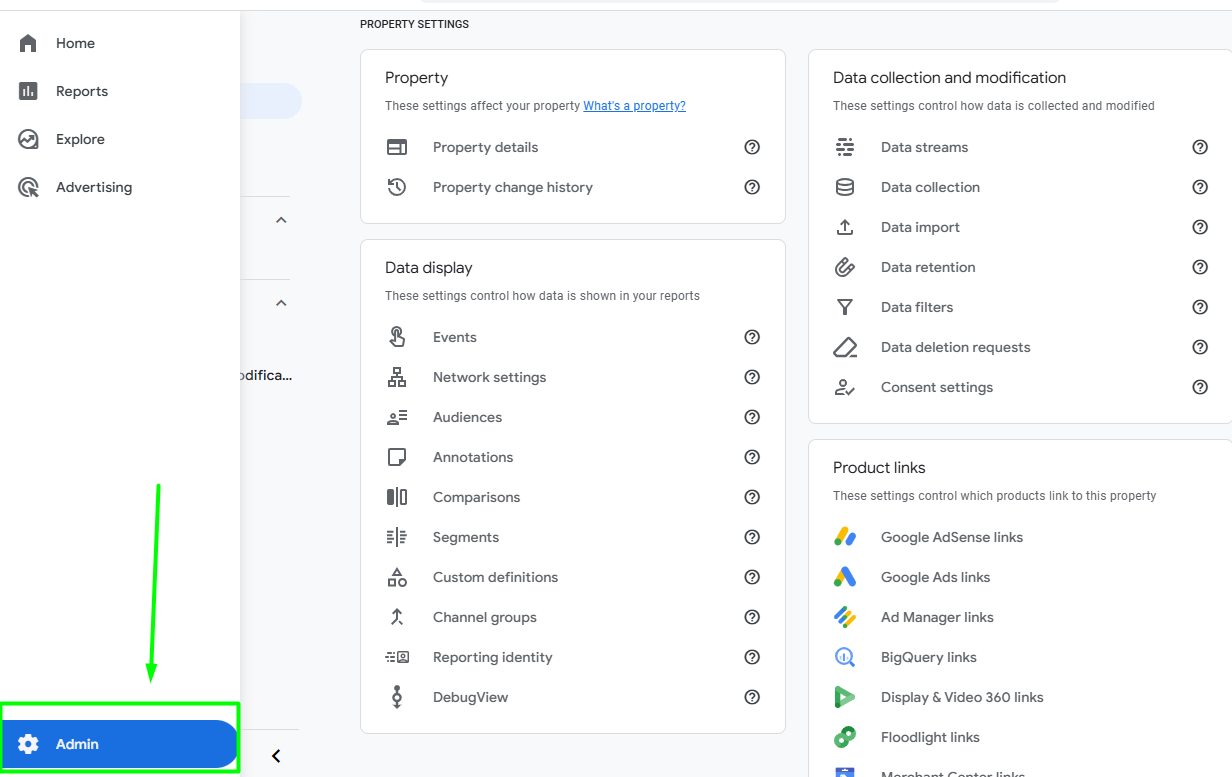
Go to your Google Analytics 4 account and open the “Admin” section.
- Open your Data Stream
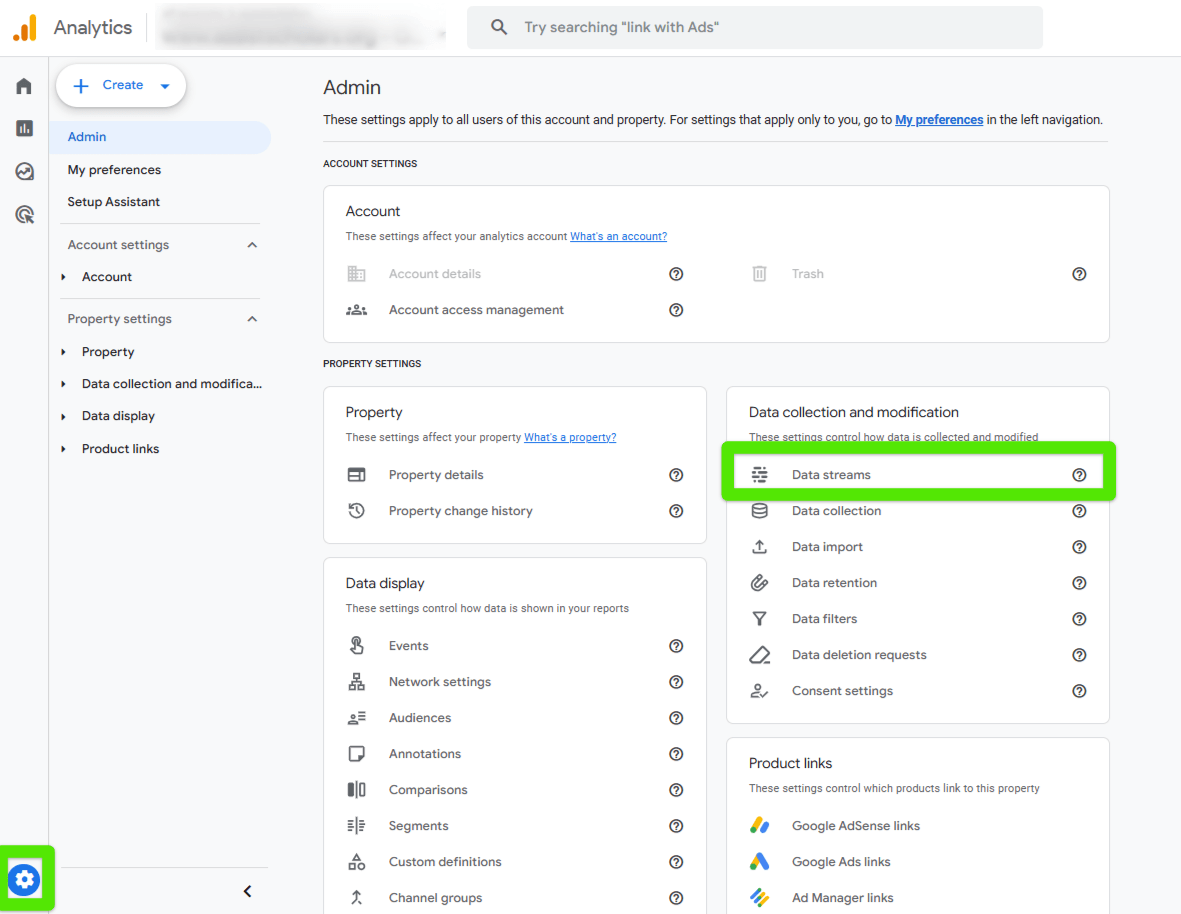
In the Admin panel, under the “Data collection and modification” column, click on “Data Streams.”
- Select your website’s stream
Click on the stream that corresponds to your website.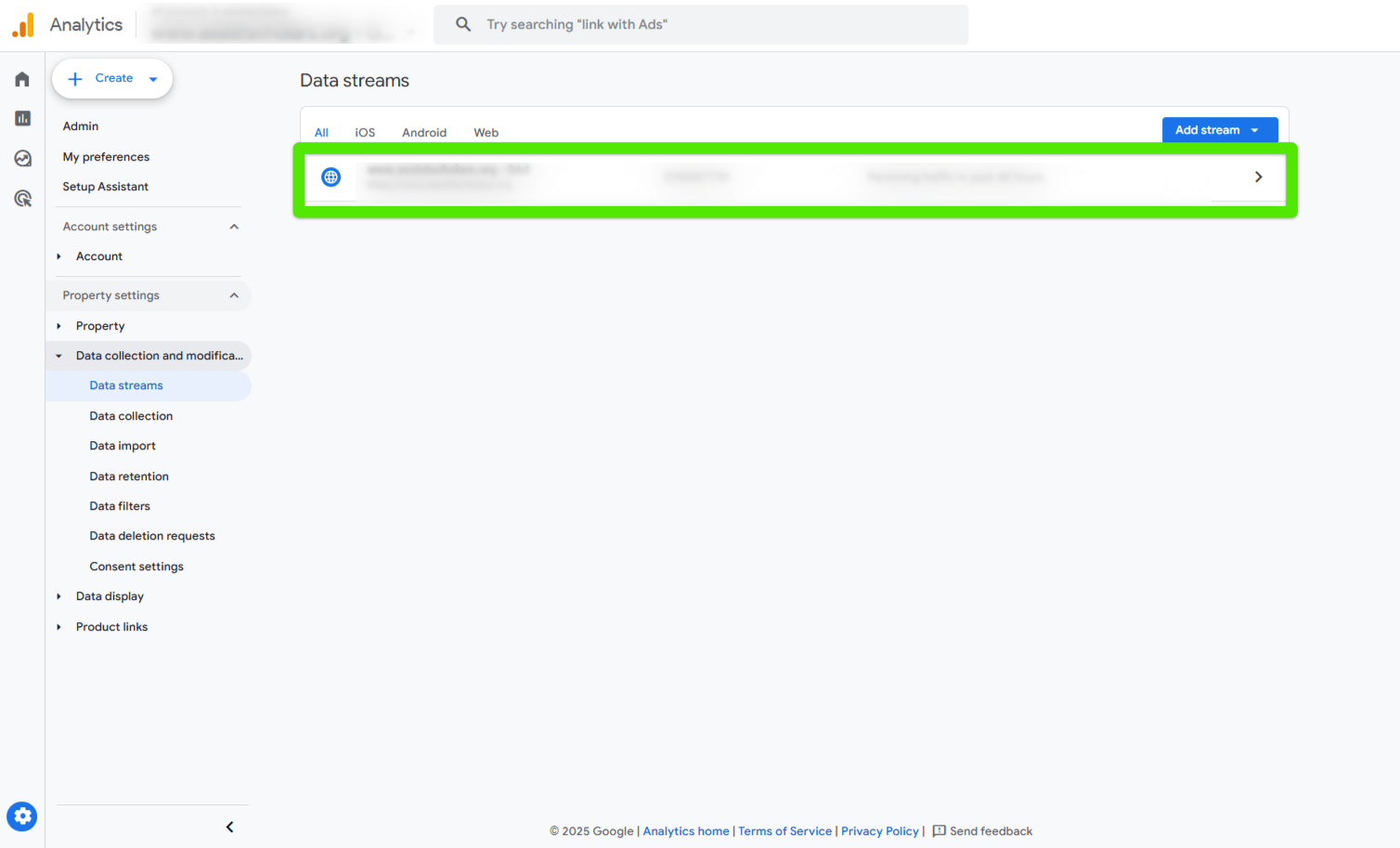
- Go to tag settings configuration
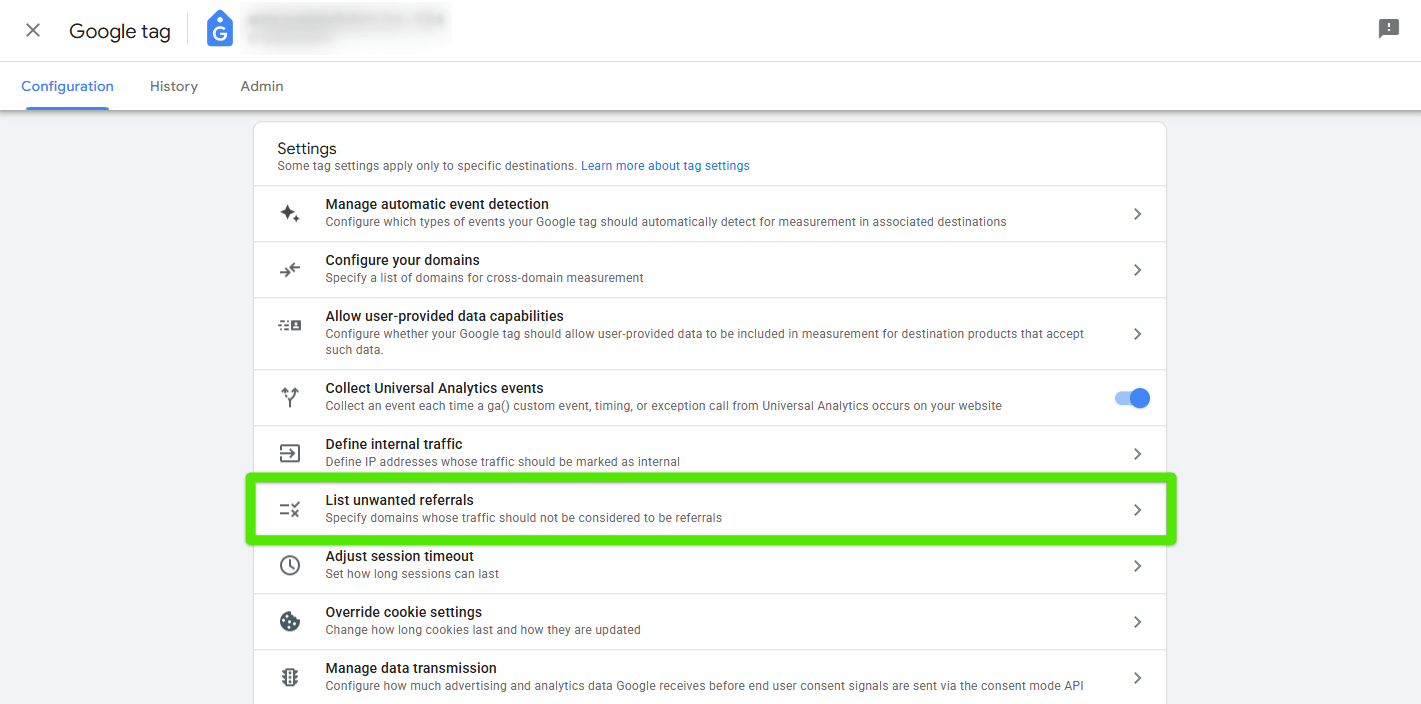
In the “Google Tag” section, click on “Configure tag settings.”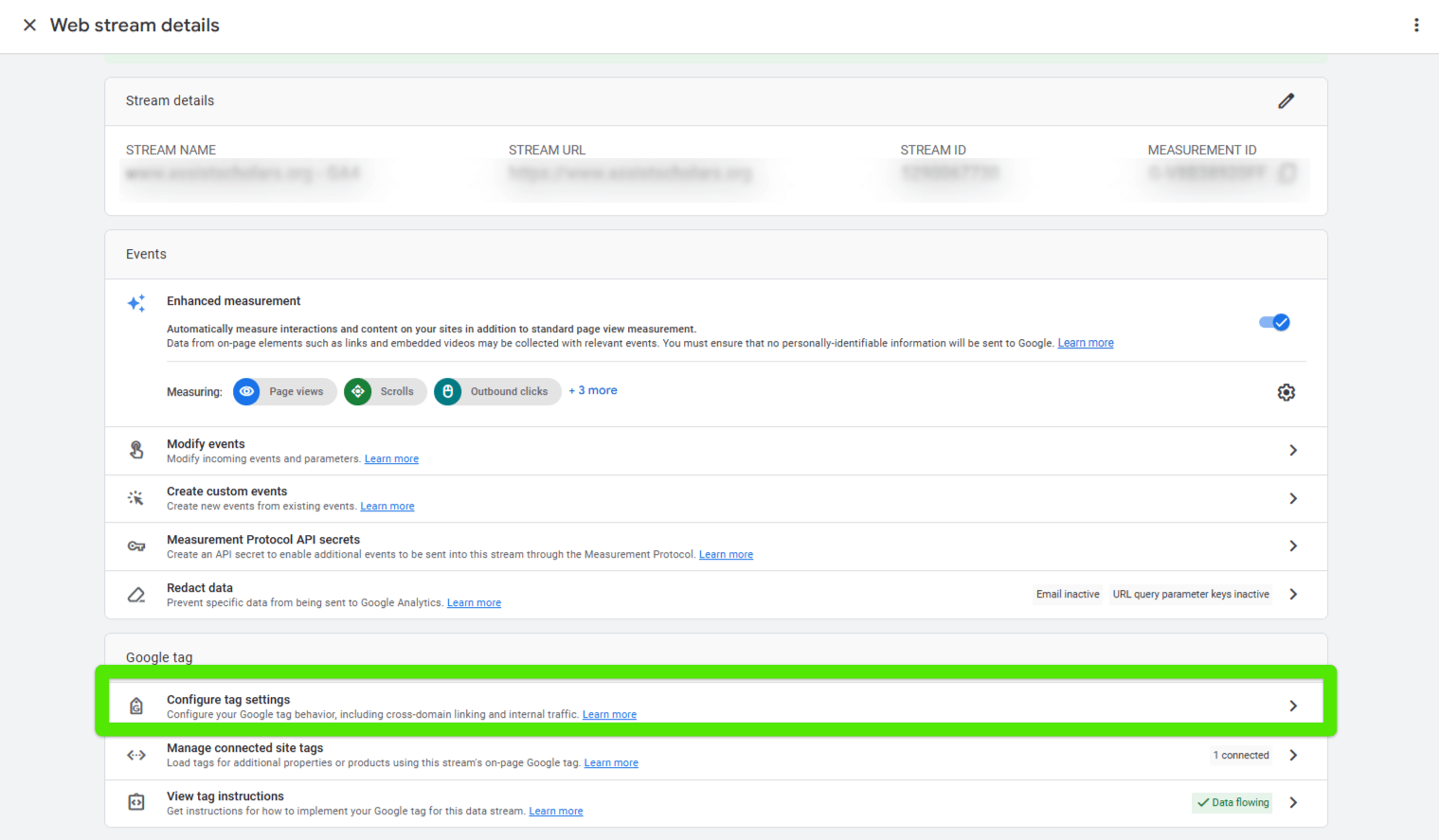
- Add payment gateways to the unwanted referrals list
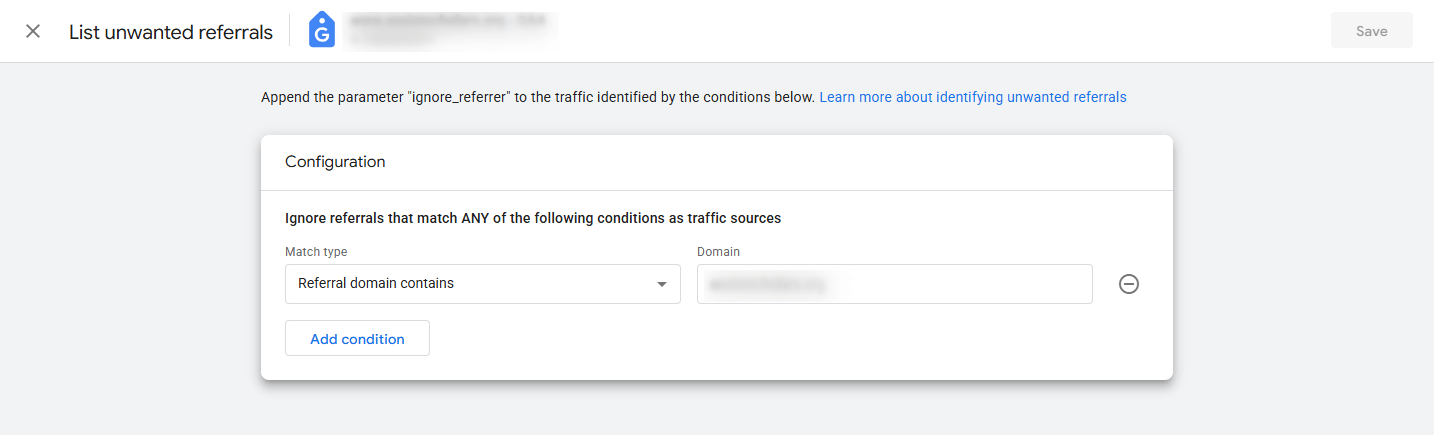
Expand the additional settings, choose “List unwanted referrals,” and add the domains of the payment gateways you want to exclude, for example:
- paypal.com
- klarna
- tpay.com
- dotpay.pl
- payu.com
- Save changes
Once saved, GA4 will stop treating these domains as the source of a new session and will no longer attribute conversions to them.
How to check if the exclusion is working
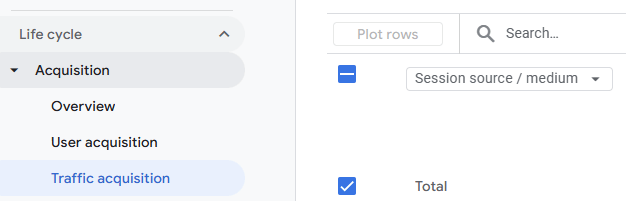
A few days after implementation, you can go to the “Traffic Acquisition” report in GA4 and check whether payment gateway domains are still appearing as sources of conversions.
- In Google Analytics 4, go to Reports > Acquisition > Traffic acquisition.
- Set the date range to start after the exclusion was implemented.
- Choose the primary dimension: Session – source / medium.
- Search the table for payment gateway domains (e.g., tpay.com, dotpay.pl).
If everything is set up correctly, these domains should no longer appear as conversion sources.
Additional tips
Make sure to include all payment gateways in your configuration – even those handling a smaller volume of transactions. Even a single missing domain can lead to incorrect session tracking and cause conversions to be attributed to the wrong traffic source.
We recommend regularly reviewing your GA4 data—payment providers sometimes change their URLs or add new subdomains. Such changes can affect session continuity if not properly reflected in your configuration.
If your implementation is based on Google Tag Manager, make sure to thoroughly test your tag setup. Incorrect trigger rules or tag settings can disrupt session tracking when a user returns from a payment gateway, directly impacting the accuracy of your analytics data.
Summary
Excluding payment gateways in Google Analytics 4 is a crucial step in optimizing your e-commerce analytics setup. With this configuration, you can be confident that your data on conversions and campaign performance is accurate and trustworthy. If you haven’t done this yet, now’s the time—cleaner data leads to smarter marketing decisions.


