
Bulk Editing of Advantage+ Creative Enhancements in Meta Ads
If you regularly adjust Advantage+ creative enhancements in your Meta Ads and want to streamline the process, you can now use bulk editing.
After setting up your campaign, go to the ad level, select all the ads you want to modify, then click Edit and choose Advantage+ Creative. This enables you to bulk review and edit creative settings across multiple ads, making it easy to quickly toggle enhancements on or off.
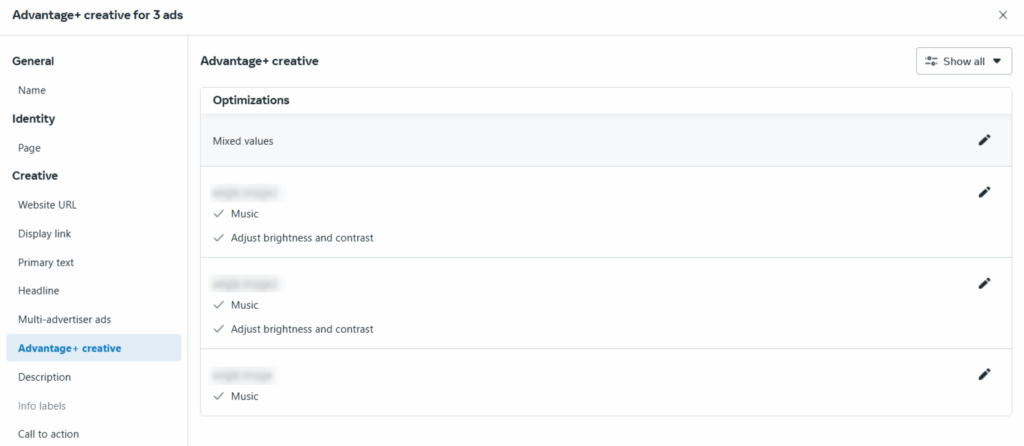
Source: Meta Ads Panel
Note: Bulk editing is only available for ads that use the same format.
What does this mean for you?
Bulk editing improves workflow efficiency by allowing you to implement consistent changes across multiple creatives simultaneously. It automates the optimization process, saving time and increasing operational agility.
Top Creative Themes Report in Meta Ads
Meta has introduced a new section within its ad reports: Top Creative Themes.
To access it, go to Ads Reporting > Account Insights.
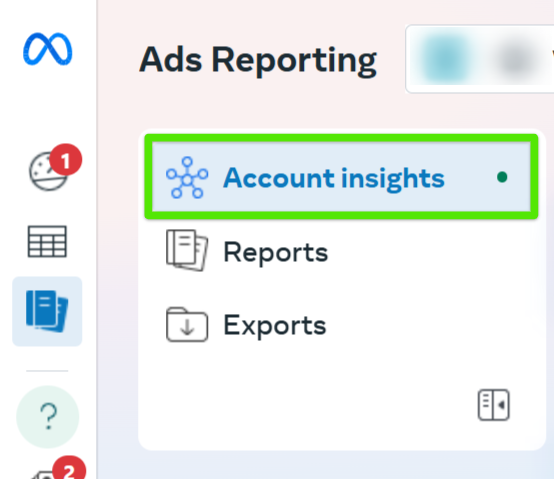
Source: Meta Ads Panel
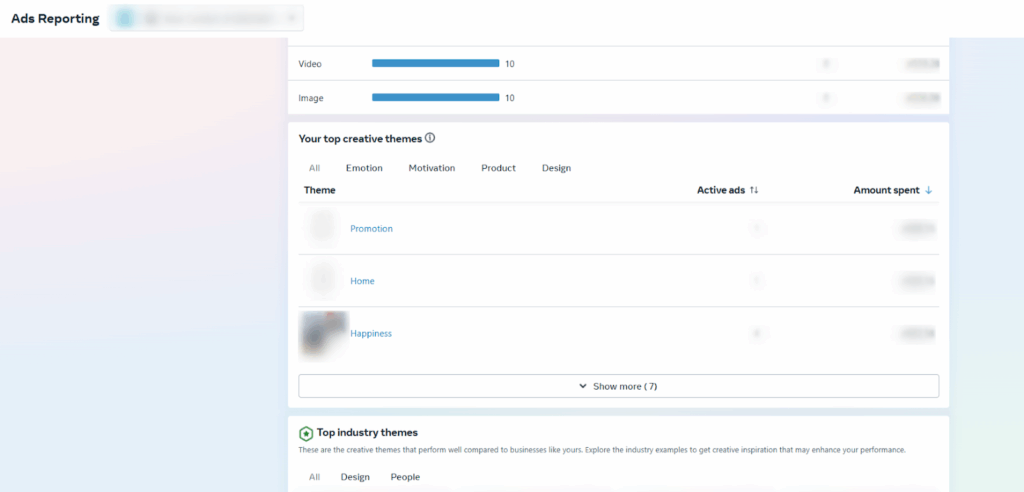
Source: Meta Ads Panel
The report displays creative themes automatically identified by Meta, along with the number of active ads and spend attributed to each theme.
This tool helps you evaluate whether your ad messaging and visuals align with your brand values and compare them against top-performing industry themes. Clicking a theme name opens a summary with best practices and examples on how to optimize ads for that specific theme.
Examples of creative themes include Vitality, Freedom, Joy, as well as performance-focused topics like Promotion or People.
What does this mean for you?
This feature offers deeper insights into the creative aspects of your campaigns. It helps you align your ads with brand messaging and industry trends, potentially improving performance and return on ad spend (ROAS).
Value Rules in Meta Ads
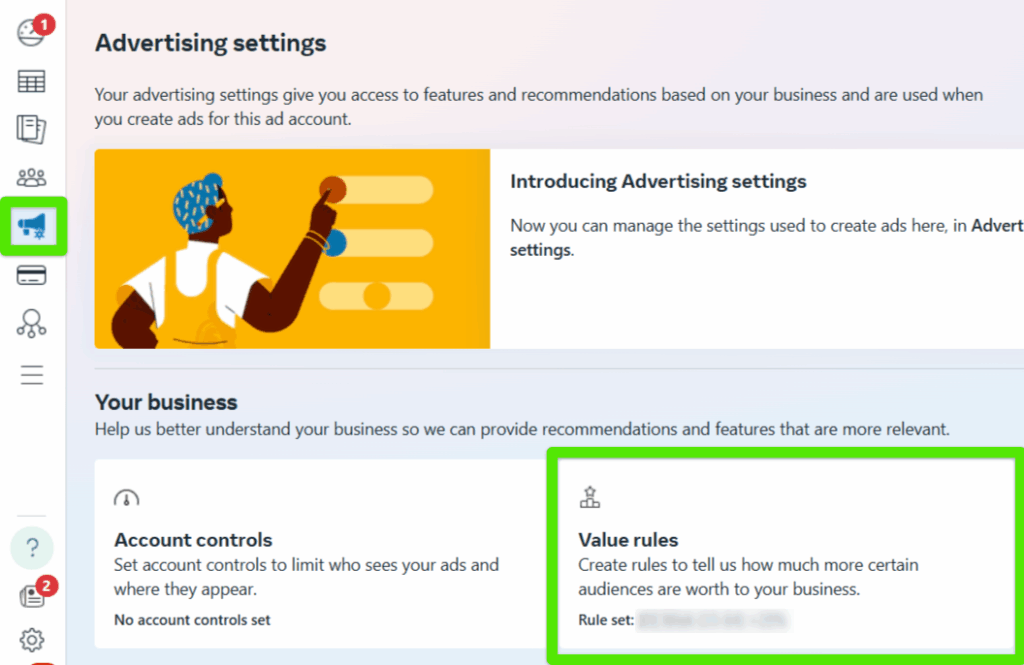
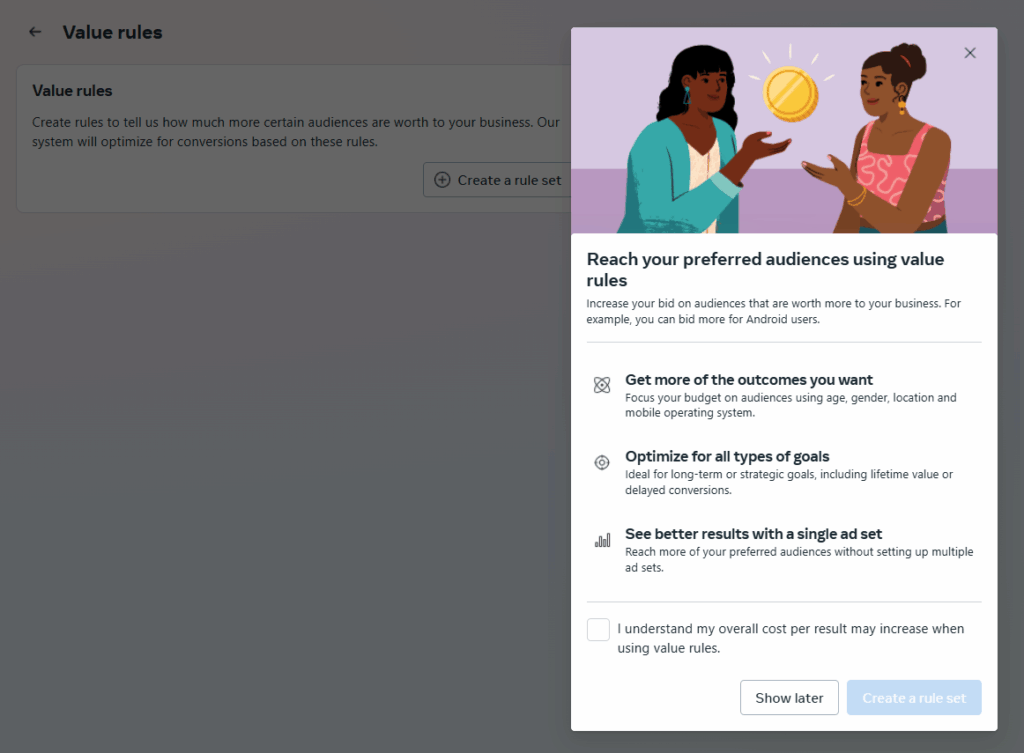
Meta has rolled out Value Rules — a powerful feature that allows advertisers to increase or decrease bid values for specific audience segments.
The option is available within your Meta Ads account at the Advertising settings level.
Source: Meta Ads Panel
Source: Meta Ads Panel
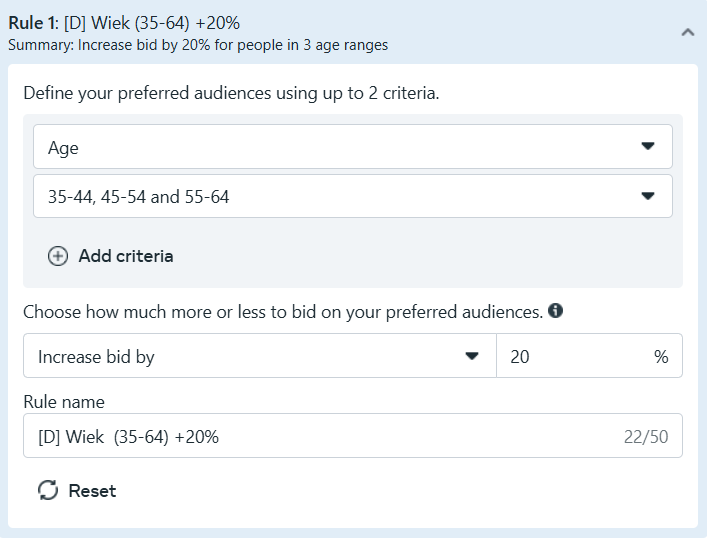
You can define up to 10 rules, with a maximum of 2 criteria per rule. If a rule contains more than one condition, it will only apply when both conditions are met.
For example:
- Gender: Male
- Age: 30–50
This rule will only apply to users who are both male and between the ages of 30 and 50. If one condition is not met, the rule is ignored.
Source: Meta Ads Panel
Important: If multiple rules apply, only the first matching rule (based on order) will be executed. For instance, if one rule increases the bid by 30% for women in Poland, and another increases the bid by 20% for women using iOS, a woman in Poland using iOS will receive the 30% increase — as that rule appears higher on the list.
What does this mean for you?
Value Rules offer granular budget control, allowing you to prioritize high-value audiences without creating separate ad sets. This can enhance campaign efficiency and performance, though it’s important to note that cost per result may slightly increase due to higher bid values.
Ad Set Budget Sharing in Meta Ads
Meta has introduced a new option for Ad Set-level Budget Campaigns, allowing the system to redistribute up to 20% of the daily budget between ad sets within the same campaign if it’s deemed beneficial for performance.
For example, if two ad sets each have a daily budget of 50 PLN, the system can reallocate up to 20 PLN (10 PLN from each ad set) to improve overall results.
What does this mean for you?
This update gives you greater flexibility in budget allocation across ad sets. The system can automatically shift budget toward better-performing ad sets without requiring a switch to campaign budget optimization. This helps you maximize efficiency and respond faster to performance fluctuations.
Device-Level Controls for Performance Max
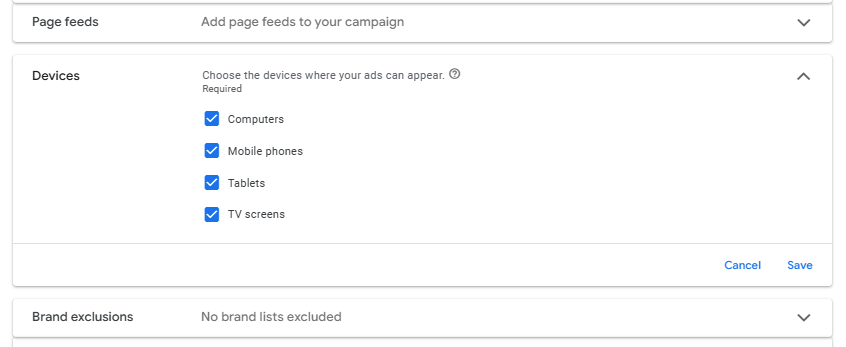
Google Ads has added long-awaited device targeting options to Performance Max campaigns. You can now control which devices your ads appear on — a feature previously unavailable for this campaign type.
This option is available in both new and existing campaigns, under the campaign settings.
Source: Google Ads Panel
What does this mean for you?
This update provides more control over campaign reach. You can now align ad placements with audience behaviors and campaign goals — for example, excluding TVs or tablets for B2B campaigns. It opens up new possibilities for optimization and precision targeting.
New Placement in Meta Ads: Threads Feed
Meta has added a new placement option — the Threads Feed, now available in Ads Manager for selected accounts.
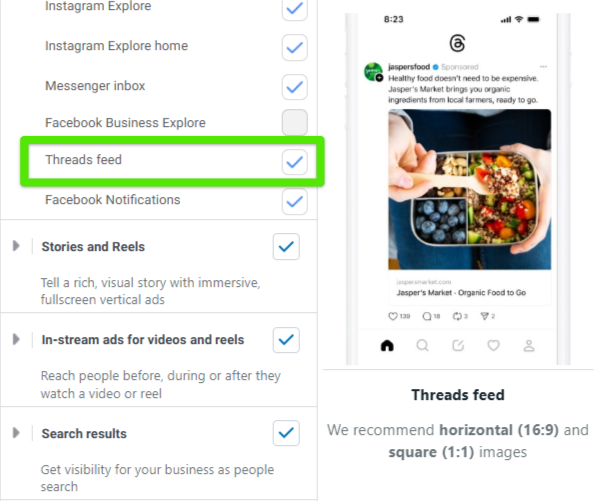
Source: Meta Ads Panel
You can run ads in the Threads app for objectives like Brand Awareness, Traffic, and Sales.
Note: Threads Feed is not a standalone placement — you must also select Instagram Feed for it to be active.
At the ad level, you can assign a Threads profile to represent your business. If you don’t have one yet, you can create it directly within Ads Manager using the Create Profile button.
Meta recommends using horizontal (16:9) or square (1:1) image formats. Video ads are not supported at this time.
What does this mean for you?
You can now extend ad reach to the rapidly growing Threads platform. The required pairing with Instagram Feed ensures consistency across platforms — improving recognition and potentially increasing campaign effectiveness (e.g., users who saw the ad on Instagram will recognize it on Threads).
Google Ads AI Max — A Breakthrough for Search Campaigns
Google Ads has introduced a game-changing feature: AI Max, a powerful AI-driven tool that redefines traditional search campaigns by moving beyond keyword-based targeting.
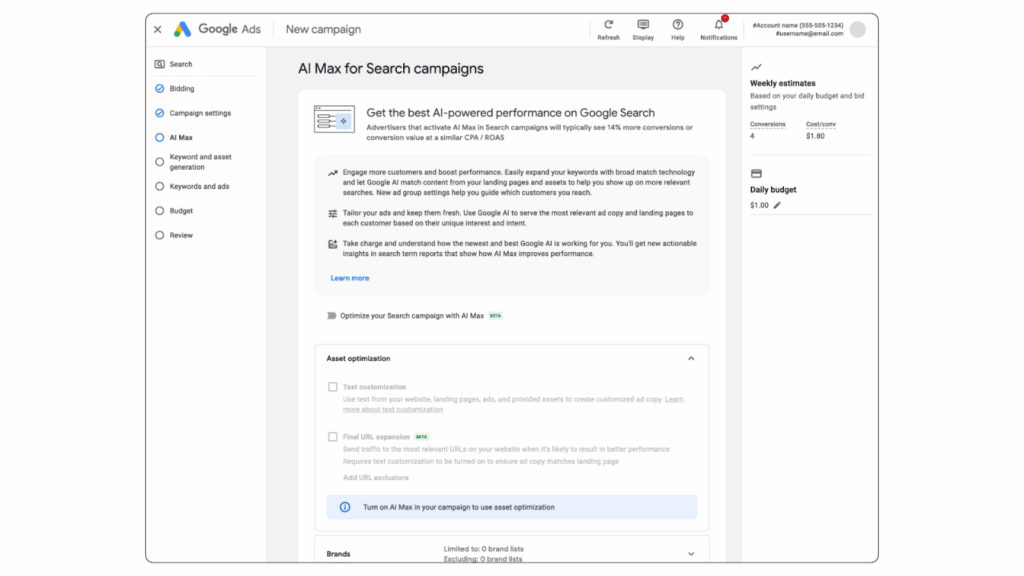
Source: Google Ads Blog
How does AI Max work?
- Expands Reach: Targets users based on broad or even non-keyword queries that typical search campaigns might miss.
- Dynamic Ad Content Generation: Automatically generates and optimizes ad copy in real time based on user intent.
- Final URL Expansion: Adjusts destination URLs dynamically while supporting URL exclusions to maintain control over traffic direction.
- Geo-targeting at the Ad Group Level: Enables precise location targeting within a single campaign.
All features can be toggled on or off, allowing advertisers to customize AI Max to their specific needs.
What does this mean for you?
With AI Max, your search campaigns gain unprecedented reach and flexibility. It allows you to capture users with less obvious or longer-tail search behaviors. The automatic intent-based creative adaptation improves performance without requiring manual optimization. Meanwhile, location and URL control ensure alignment with business objectives.
This is a tool worth testing — it has the potential to revolutionize how you manage search campaigns.