Bing Places for Business – What Is It and How Can It Help Your Business?

5min.

Comments:0

10 July 2025

Bing Places for Business – What Is It and How Can It Help Your Business?d-tags
In this article, we will show you how to set up and optimize your Bing Places for Business profile to attract more customers. Learn how to use this tool to improve local SEO and boost your presence in search results and AI.

5min.

Comments:0

10 July 2025

Bing Places for Business to często pomijane przez firmy narzędzie (“przecież mamy Profil Firmy w Google!“) – a pozwala ono zwiększyć Twoją widoczność w lokalnych wynikach wyszukiwania, a nic nie kosztuje. Dzięki temu profilowi możesz dotrzeć do większej liczby klientów i poprawić swoje SEO lokalne. W artykule dowiesz się, jak założyć konto, zoptymalizować profil, a także jak wykorzystać Bing Places, aby zyskać przewagę w sieci i w narzędziach AI.

Czym jest Bing Places for Business?

Bing Places for Business is a free tool that allows businesses to manage their presence on the Bing search engine and Microsoft Maps. Through this platform, business owners can update their contact information, operating hours, and other important details, which positively impacts brand visibility.

The main features of Bing Places for Business include:

📍Updating contact information, including address, phone number, and business hours.
📍Adding photos of the business and a description to help attract potential customers.
📍Boosting local visibility in Bing search results and on Microsoft Maps.

Benefits of Using Bing Places for Business

Having a profile on Bing Places for Business offers many benefits, especially for businesses operating in local markets. Here are some of them:

  • Increased visibility in Bing search results: A business listed on Bing Places for Business has a higher chance of appearing in local search results. Users searching for products or services in their area will be able to find your business more easily.
  • Better integration with Microsoft Maps: Bing Places for Business ensures that your business appears on Microsoft Maps, making it easier for customers to find you.
  • Credibility and authenticity: A profile on Bing Places for Business allows users to quickly verify business details, which builds trust. Although Bing Places doesn’t offer a review collection feature like Google, Bing’s algorithms use external reviews from other platforms to assess a business’s credibility and its ranking in search results.

If you want to establish a real presence on Bing Places, it’s important that all your business information—such as address, operating hours, and phone number—be consistent and up-to-date across the web. Bing automatically pulls information from the internet and may update your profile with it at any time. It’s also worth noting that Bing Places doesn’t offer an option to collect reviews like Google does, which is why having positive reviews on external platforms matters even more. Bing relies on these reviews to assess credibility and build trust in search results.

Wiktoria Wójciak
Wiktoria Wójciak SEO Specialist

This is also an important piece of the puzzle if you want to rank your website on Bing – you can read more about Bing SEO in our previous article.

How to Set Up an Account on Bing Places for Business?

Creating an account on Bing Places for Business is a simple process. Here are the steps to follow:

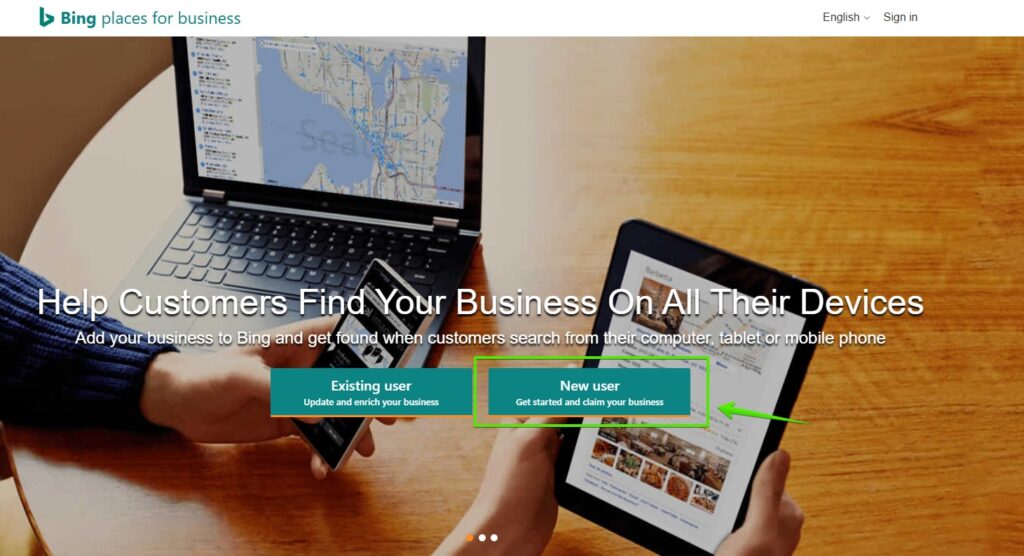
  1. Go to the Bing Places for Business website: Visit bingplaces.com and click on “New user – get started and claim your business” to begin the process.
    How to Set Up an Account on Bing Places for Business?

    Screenshot taken on July 10, 2025


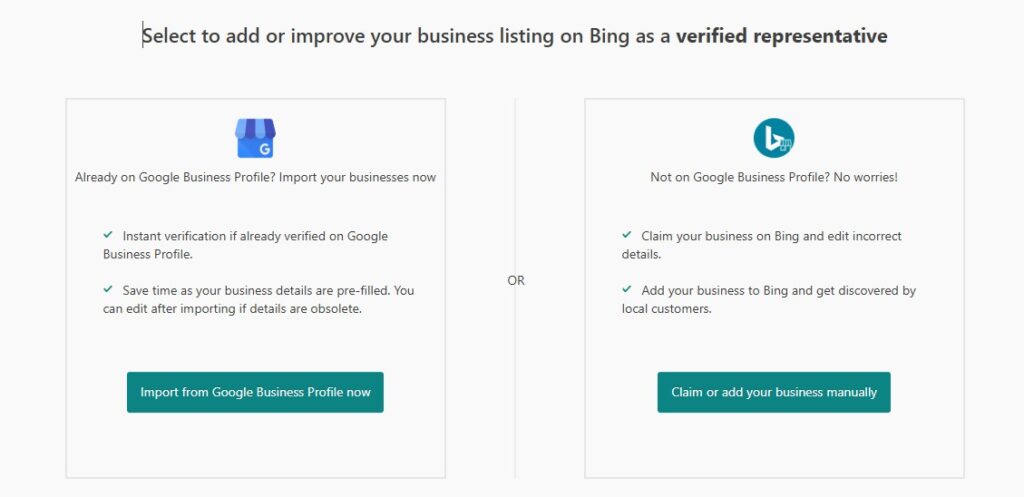
  2. Next, you can either choose to import data from Google My Business (if you already have an account) or manually add your business.

    Select to add or improve your business listing on Bing as a verified representative - screenshot from  Bing Places for business

    Screenshot taken on July 10, 2025

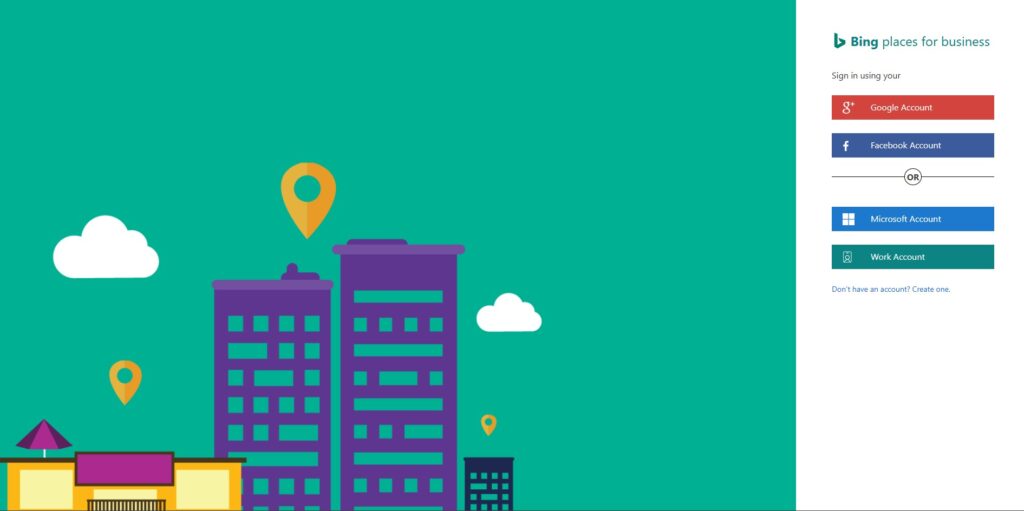
  3. If you are manually adding your business, follow the steps and fill in the details: business type, country/region of operation, company name, and location (postal code and city). If the business didn’t have a listing before, this is the point where you will need to log in with a Google Account, Facebook, Microsoft, business account, or create a Microsoft account.
    Registration in Bing Places for Business – Step by Step

    Screenshot taken on July 10, 2025

    Then, complete the remaining information by following the steps on the screen. Make sure the details are consistent with the information available elsewhere on the web.

  4. Verify your profile: Bing will send you a verification code to the provided phone number or email address, allowing you to confirm that you are the owner of the business.
  5. Update your profile: Add business photos, a description, and other important details such as operating hours, payment methods, and website links.
  6. Optimize your profile for local SEO: To improve visibility in search engines, make sure your contact information matches what is listed on other sites. Also, optimize your business description and add relevant keywords related to your local business.

When it comes to Bing tools, you should also make sure to use Bing Webmaster Tools. Here’s our guide on how to do that: How to Add a Website to Bing Webmaster Tools?

Bing Places for Business vs. Google Business Profile

Bing Places for Business and Google Business Profile (formerly Google My Business) are two theoretically similar tools that help businesses manage their presence in search engines and on maps. Here are the main differences between them:

  • Collecting Reviews: Google My Business allows users to collect reviews, which helps build a business’s reputation. Bing Places for Business does not offer this feature but gathers review information from external platforms.
  • Visibility in Search: Google dominates the search engine market, but Bing Places can also contribute to increased local visibility, especially if your customers use Bing or Microsoft Edge (for example, if your target audience consists of large businesses, it’s very likely they use Microsoft environments at work, and you should be visible there!).
  • Integration with Other Tools: Bing Places is part of the larger Microsoft ecosystem, so it may be more integrated with other Microsoft services, while Google My Business is closely tied to the Google ecosystem.

Local SEO Profile Optimization

To ensure your business is well-visible on Bing, it’s important to optimize your profile for local SEO. Here are a few tips:

✅Data Consistency: Make sure that your business details (address, phone number, operating hours) are the same across all online platforms. Bing can automatically update your profile based on this information.
✅Keywords: Include local keywords in your business description that can attract potential customers. For example, if you run a grocery store in Warsaw, use such a phrase. TIP: Bing handles exact keywords better than Google, so it prefers “exact keywords,” but remember that your profile should still look professional and grammatically correct for users.
✅Up-to-date Information: Regularly update your operating hours, especially during holiday periods or special events.

Bing Places in the Context of AI

Bing is used by artificial intelligence tools, such as ChatGPT, to generate responses to user queries. This means that data from Bing Places for Business can influence your business’s local visibility in AI systems. With accurate and consistent information, your business has a better chance of appearing in AI search results, which can attract new customers.

And if you’re more interested in AI visibility, check out our AISO service – optimization for AI visibility!

And to stay up to date with SEO, AI, SEM, and more – subscribe to our newsletter!


newsletter-icon

Sign up for our newsletter!

Discover the latest tips, case studies, and strategies from digital-marketing experts!

Delante – Best technical SEO agency

Summary

Bing Places for Business is a tool that should be on the radar of every entrepreneur operating locally. It helps improve visibility in Bing search results and makes it easier to reach customers on Microsoft Maps. Optimizing your profile for local SEO and ensuring data consistency are key elements that can help you attract new customers. Although Bing Places doesn’t allow for direct review collection, it’s worth investing in positive reviews on external platforms, as they influence how Bing rates your business. It’s definitely worth being there!

Author
Joanna Nicpoń - SEO specialist
Author
Joanna Nicpoń

Senior SEO Specialist

Senior SEO Specialist. At Delante since August 2017. She specializes in SEO strategies for E-commerce, IT, and YMYL sectors (including PL, US, UK, and DACH markets). By combining technical optimization with a business-driven Customer Success approach, she builds profitable, long-term client relationships. An expert in content strategies and website migrations. Project Manager and author of the case study nominated for the Global Search Awards 2024. After hours: cinema, traveling, and Heroes III.

Author
Joanna Nicpoń - SEO specialist
Author
Joanna Nicpoń

Senior SEO Specialist

Senior SEO Specialist. At Delante since August 2017. She specializes in SEO strategies for E-commerce, IT, and YMYL sectors (including PL, US, UK, and DACH markets). By combining technical optimization with a business-driven Customer Success approach, she builds profitable, long-term client relationships. An expert in content strategies and website migrations. Project Manager and author of the case study nominated for the Global Search Awards 2024. After hours: cinema, traveling, and Heroes III.