Google Ads - Customer Match, also known as customer list targeting, is a valuable feature that helps achieve business goals, from increasing brand awareness to generating conversions. Learn from this post how to effectively leverage the opportunities it provides!
If we run a business, whether online or offline, in the process we collect data from our customers, as well as information about their needs and the products or services they are looking for. Based on this knowledge, we can create customer lists. This helps reach current customers and re-engage with them in search network campaigns, Google Shopping campaigns, Gmail, YouTube, and display campaigns.
How Exactly Does the Customer List Work in Google Ads?
To effectively utilize this feature, you should start by creating a file with selected customer data (following the provided guidelines – creating a customer list) and add it to your Google Ads account. In customer lists, you can use data such as: first name, last name, email address, phone number, and postal code. Not all data needs to be used; you can focus on one guideline, such as phone number or email address. Additionally, the list doesn’t have to consist only of data from people who have purchased our products or used our services. It can also include individuals who have provided their contact information (email address, phone number), for example, by signing up for a newsletter.
To upload such a list, you need to take the following steps:
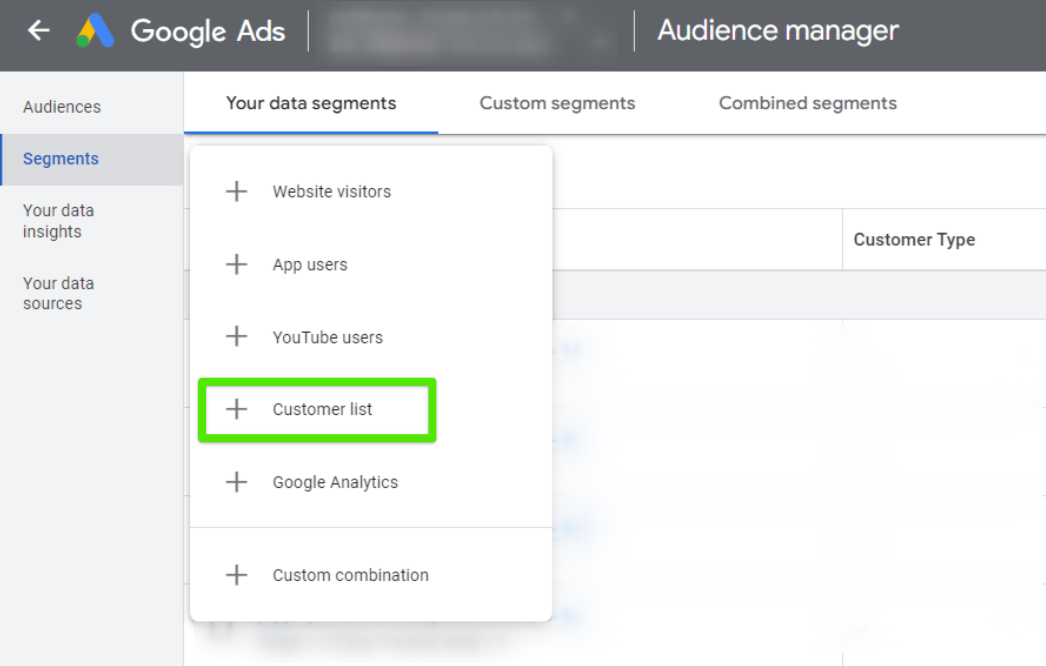
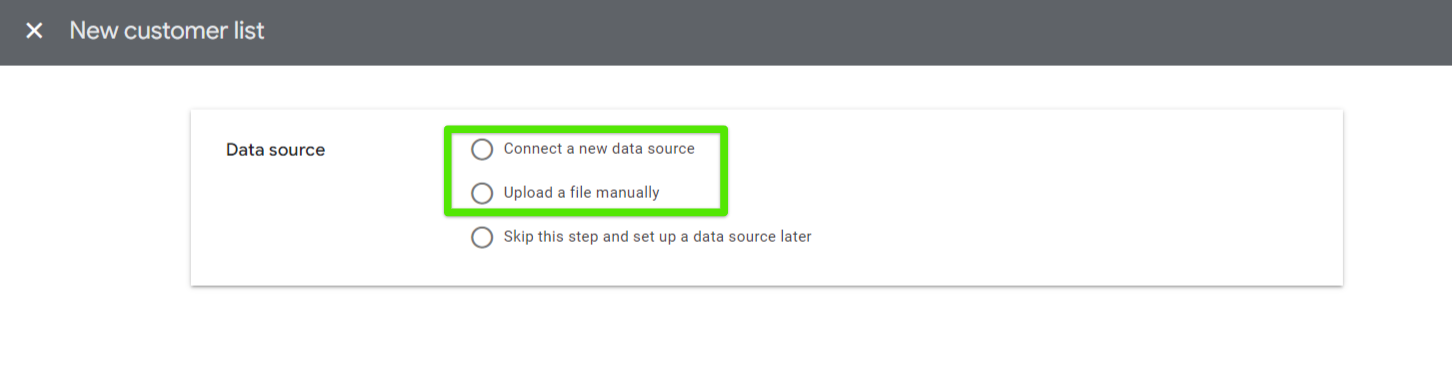
Tools & Settings > Shared Library > Audience Manager > Segments > White plus on a blue background > Customer list > Next, manually upload the prepared file or connect the data source using a CRM platform.
Source: Google Ads Panel
Source: Google Ads Panel
Ensure that the columns comply with Google’s requirements (as shown in the screenshot below).
Source: Google Ads panel
When our Google account already contains customer data lists, we can create (or update) a campaign in which we want to use them. In the audience section, we select this specific list. When our customers, whose data we have used to create the list, log in to their Google accounts, they will be able to see our ads.
ATTENTION! Remember that lists require a specific data segment size to be used in campaigns. Below, we present their distribution:
Google Display Network: At least 100 active users in the last 30 days.
Search Network, YouTube, Discovery: At least 1000 active users in the last 30 days.
The data files we send to Google will be used solely for the proper functioning of the campaigns; all information will remain confidential. This happens because Google converts all the data it receives into encrypted codes.
Source: Own graphic based on date from: https://support.google.com/google-ads/answer/7474263?hl=en
Why is It Worth Using Customer List Targeting?
Building stronger relationships with current customers
By having the ability to create audience lists with data from our existing customers, we’ll be able to introduce new products/services offered by our company to them more quickly. There’s a likelihood that among these users, we’ll be able to achieve the highest conversions.
Innovative customer strategy
Customer list targeting serves as a tool for managing audiences that does not collect data about website users using traditional tags. All data is secure and encrypted by Google.
A Management and Economics graduate. She started her adventure at Delante with an SEM internship in December 2021. She currently holds the position of SEM Specialist. Her special interest from the professional angle is Internet marketing, and she is no stranger to Google market changes. Privately, she enjoys traveling, sport, especially gym.
A graduate of the AGH University of Science and Technology and the University of Economics in Krakow. At Delante since the SEM internship in August 2023.
In her free time, she is an enthusiast of watching ski jumping and exploring the culture of the Pieniny and Upper Silesia regions.
A Management and Economics graduate. She started her adventure at Delante with an SEM internship in December 2021. She currently holds the position of SEM Specialist. Her special interest from the professional angle is Internet marketing, and she is no stranger to Google market changes. Privately, she enjoys traveling, sport, especially gym.
A graduate of the AGH University of Science and Technology and the University of Economics in Krakow. At Delante since the SEM internship in August 2023.
In her free time, she is an enthusiast of watching ski jumping and exploring the culture of the Pieniny and Upper Silesia regions.


 d-tags



 Loading...