How long does backlink indexing take? You may wait just a day or two, or... a month. Multiple factors impact backlink indexing speed, which in turn causes a large discrepancy in indexing times between different websites. Do you want to learn more? Keep reading!
Backlink indexing speed varies between websites. Some SEO specialists will tell you that it can take from a few hours to a month, others that it takes from a few days to 2-3 months. Each such claim is based on a different case study, so it might be impacted by the industries or types of clients a given SEO specialist works with.
The truth is that there’s no straightforward answer to the question of how long it takes to index a backlink. In reality, it can take a few hours, days, weeks, or months. Even if you’ve been waiting for a month already, it’s possible that your link will eventually be indexed.
What Impacts Backlink Indexing Time?
Linking Domain Reputation
More reputable websites might get your links indexed faster. You can check the estimated reputation using tools like Ahrefs or SEMrush, though remember that they don’t always correspond with what Google really thinks about your website.
Linking Domain Age
Older websites might get your links indexed faster. It doesn’t mean you need to look for ancient domains; just make sure they’ve been live for at least 1-2 years.
Site Popularity
More popular sites (which also publish more fresh content) might get your links indexed faster. By ‘popular’ we mean traffic and user engagement.
Your Link Diversity
If you don’t diversify your backlinks, they might be flagged as spam. This won’t only cause your links not to work, but might also get you a penalty from Google.
Site Health
A well-optimized website with a good crawl budget and an organized internal linking structure should index your links more quickly, since Google will be able to analyze the site more quickly.
Anchor Text
A well-optimized anchor text helps Google understand the link in a context, hence might speed up indexing.
Page Load Speed
Faster sites also tend to index your backlinks more quickly.
Webmaster’s Approach
If webmasters try to improve indexing (for instance by reporting sites for indexing manually), your link should be indexed more quickly.
Why Are My Backlinks Not Indexing?
What if you’ve acquired multiple backlinks, gave them some time and… nothing? There are several potential reasons why your backlinks aren’t indexed, the most common ones being:
Low Quality Content
The links are anchored in extremely low-quality or borderline-spammy content that doesn’t bring value to the users.
Incorrect Link
It’s also possible that you (or the publisher, depending on who implements the content) made a typo in your link.
Noindex Tag
Your backlinks might also not be indexed if they’re placed on pages with the noindex tag that prevents bots from crawling and indexing it.
How Do You Know If Your Backlinks Are Indexed?
Checking backlink indexation is relatively easy and offers you multiple methods you can try. What options do you have?
Search in Google
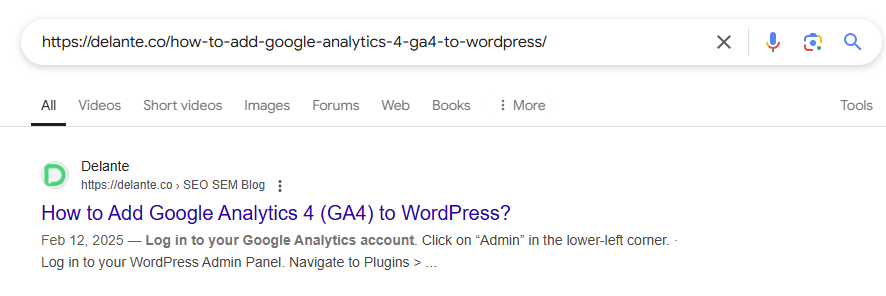
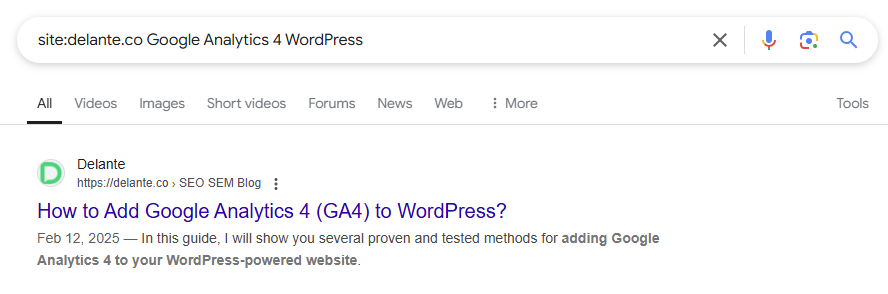
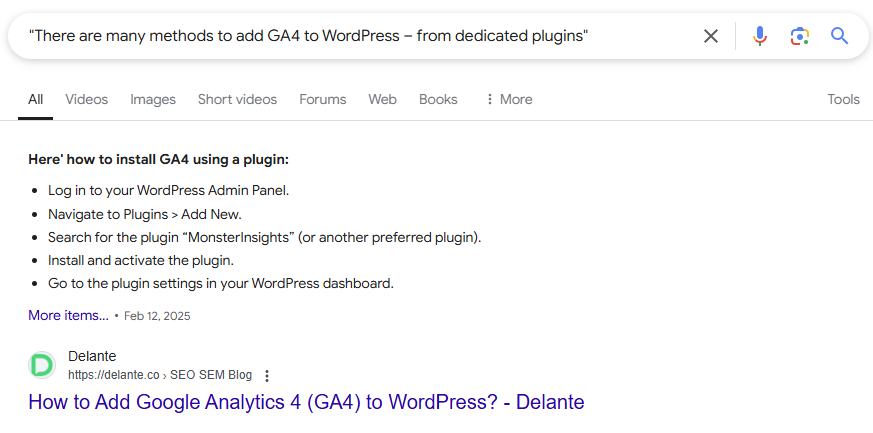
The first and easiest option involves searching for the linking content in Google. You can do this multiple ways:
#1Type the full, bare URL of the linking site into Google:
#2Use the ‘site:’ operator:
#3Search for a specific sentence from the linking content:
Use Google Search Console
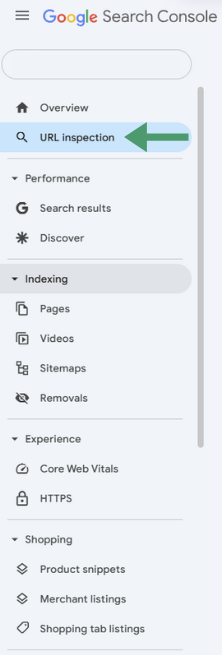
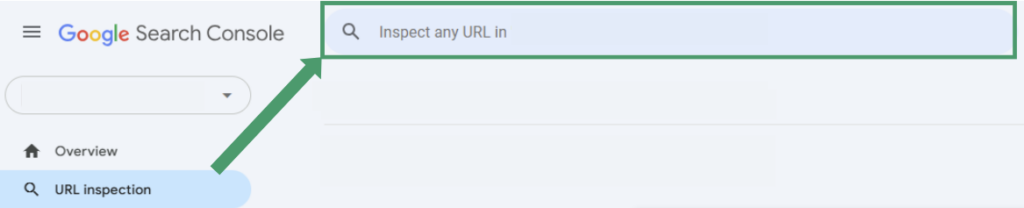
You may also use Google Search Console, though this requires you to have access to the linking website. If you do (for instance, because it’s a PBN), you can do this this way:
Step 1: Click URL Inspection in the left-hand-side menu:
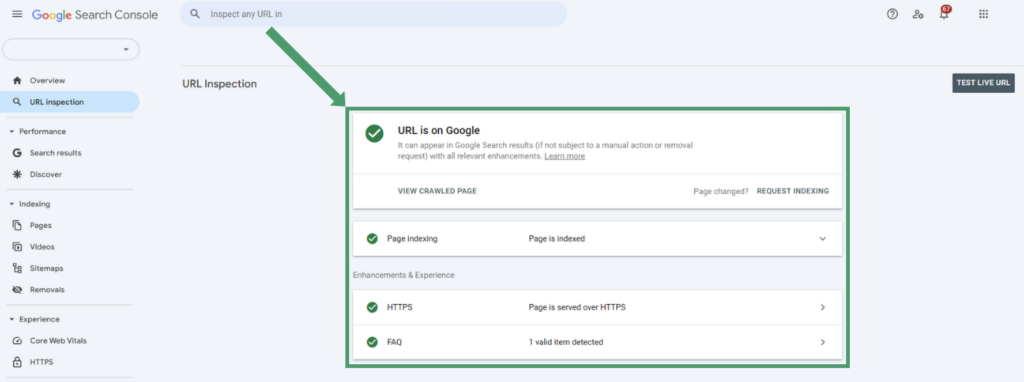
Step 2: Type the URL of the linking subpage:
Step 3: Check if the URL is indexed:
Use SEO Tools
Theoretically you can also use SEO tools, like Ahrefs, but… this isn’t always a reliable solution. These tools use their own crawlers, so the fact that a page appears in them doesn’t have to mean it has been indexed. However, you can assume that it was, if the chosen page generates traffic and keyword-related data. So, how do you use these tools?
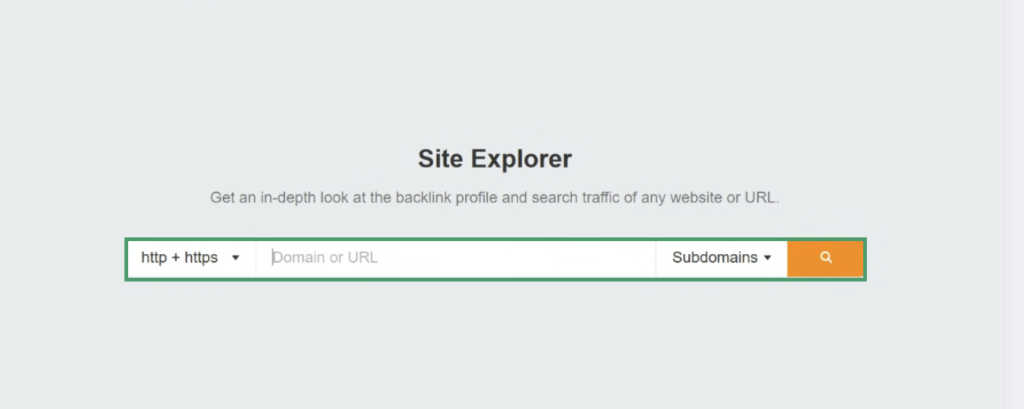
Step 1: Select Site Explorer in the top-page menu:
Step 2: Enter the linking domain:
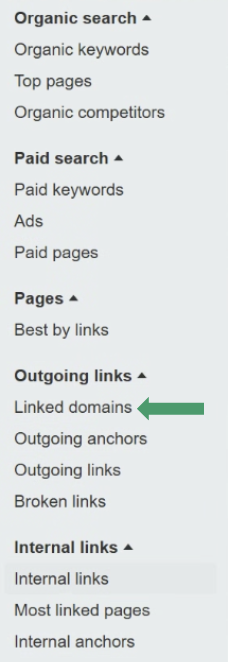
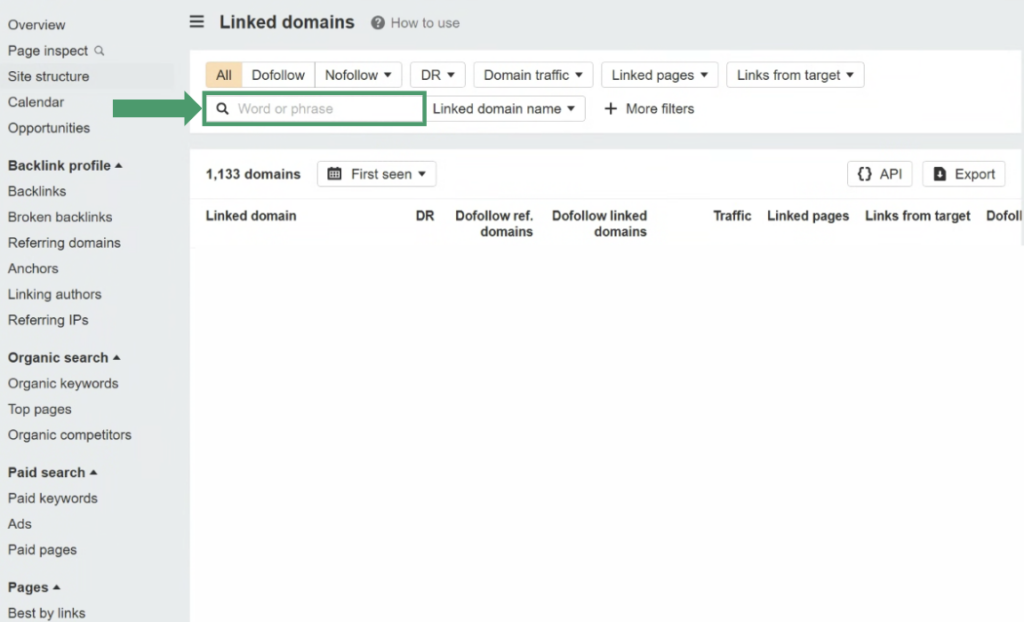
Step 3: Select Linked Domains in left-side menu:
Step 4: Enter your domain and explore the links:
How to Improve Backlink Indexing?
Can you make backlink indexing a bit faster? Yes, you can! While not all variables depend on you, there are quite a few efforts that can help you accelerate this process. So, how do you improve backlink indexing?
Acquire Links from High-Quality Websites
You can choose websites that have good parameters in all the areas that impact backlink indexing speed.
Submit Your Links for Indexing Manually
You can do this using GSC (if you have access), ask the website owner to do this for you or even utilize the Google Indexing API. Learn more in our article on speeding up Google indexing. You might also use external tools like Pingler or Ping-o-Matic to ping your links to the search engines.
Publish High-Quality Content Alongside Your Links
Focus on content that brings value to the user and is unique; do not duplicate your content (for instance, don’t publish the same guest post on multiple website).
Monitor Your Backlinks Regularly
Keeping an eye on your backlinks will help you find broken links and react if there are any issues.
Link to Your Backlink Sources on Social Media
While social media might have limited effectiveness for SEO in terms of link building, they are regularly crawled. If you post a link to the page containing your backlink, you increases the chances of it getting indexed more quickly.
The Takeaway
It’s impossible to determine how long it takes to index a backlink, as there are numerous factors determining this speed. Nevertheless, with good link building practices, you can ensure that your backlinks get into the Google search engine significantly faster. Need help with that? Learn more about our link building services and let us help you climb the top of SERPs with an effective link building strategy.
Off-site SEO specialist, link building expert. At Delante since December 2018, she took her first professional steps in organizing large events. Student of journalism and social communication. Passionate about dance, music and good cinema. Loves listening to people and discussing with people with opposing views.
Off-site SEO specialist, link building expert. At Delante since December 2018, she took her first professional steps in organizing large events. Student of journalism and social communication. Passionate about dance, music and good cinema. Loves listening to people and discussing with people with opposing views.
FAQ
How Long Does It Take to Index a Backlink?
Backlink indexing may take from a few hours to a few months, depending on the website, such as:
linking domain reputation,
linking domain age,
site popularity,
your backlink profile diversity,
site health,
chosen anchor text,
or page loading speed.
How to Get Backlinks Indexed More Quickly?
You can speed up backlink indexing by:
reporting URLs for indexing manually,
acquiring links from reputable, high-quality websites,


 d-tags


 Loading...